Apple Watch Setup for Beginners: A Step-by-Step Guide
Getting started with your new Apple Watch can be intimidating, especially if you're new to wearable technology. But don't worry, with this comprehensive guide, you'll be able to set up your Apple Watch like a pro and take advantage of all its amazing features.
What You Need to Set Up Your Apple Watch
To set up your Apple Watch Ultra 3, Apple Watch Series 11, or Apple Watch SE 3, you need an iPhone 11 or later with iOS 26 or later. Make sure your iPhone is updated to the latest version of iOS.
Step 1: Get Your Apple Watch Ready
Before you start setting up your Apple Watch, make sure it's turned off. Press and hold the side button to turn it on. If you're setting up a new Apple Watch for someone in your family who doesn't have an iPhone, tap "Setup for a Family Member."
Step 2: Pair Your Apple Watch with Your iPhone
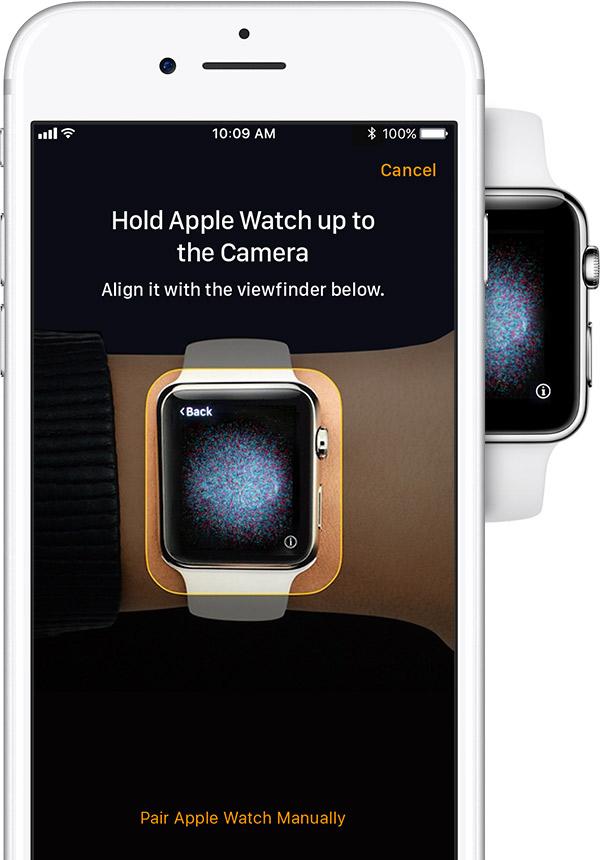
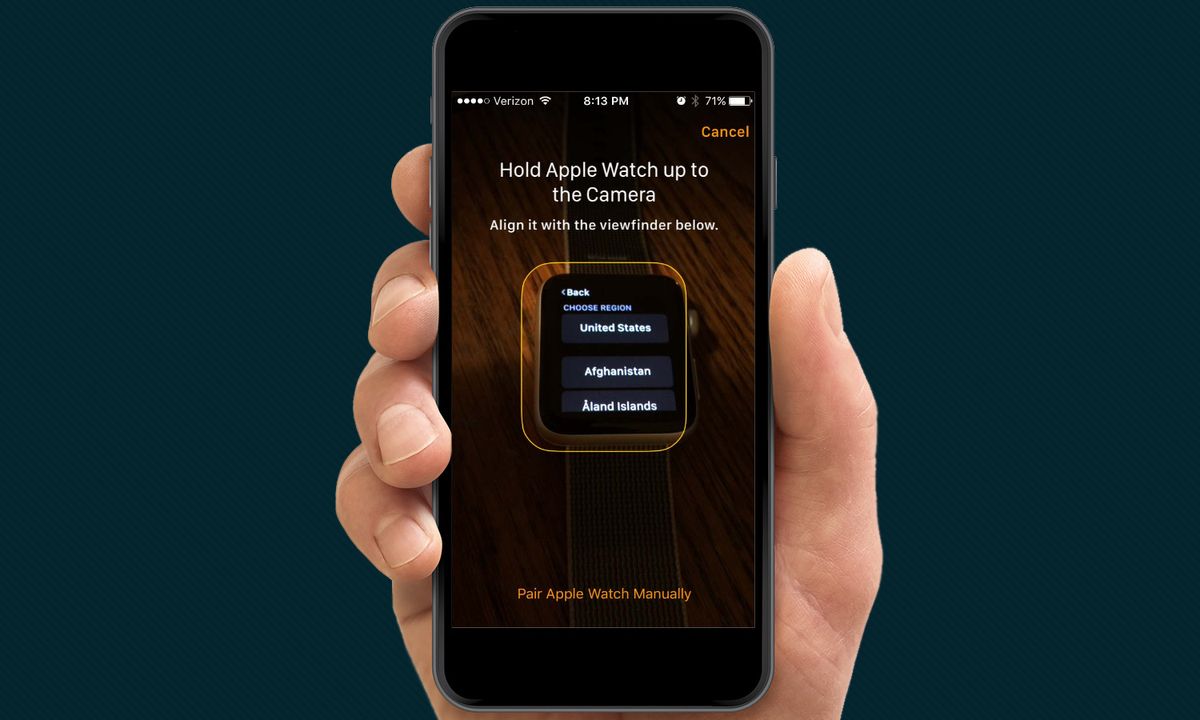
Open the Apple Watch app on your iPhone and follow the on-screen instructions to pair your Apple Watch with your iPhone. Bring your iPhone near your Apple Watch, and the app will detect the device. Once paired, follow the prompts to set up your Apple Watch.
Step 3: Set Up Your Apple Watch
Once you've paired your Apple Watch with your iPhone, you'll be taken to a setup screen. Follow the steps to set up your Apple Watch, including selecting your language, date and time, and country or region. You'll also need to set up your Apple ID and create a passcode or use Touch ID/Face ID to secure your device.
Step 4: Explore Your Apple Watch
Now that you've set up your Apple Watch, it's time to explore its features. Swipe left on the screen to access your apps, notifications, and more. You can also customize your watch face, add new complications, and adjust settings to suit your needs.
Step 5: Enable Notifications and Control Your Music

Notifications and music control are two of the most useful features of your Apple Watch. Enable notifications on your Apple Watch by going to Settings > Notifications. You can also control your music playback, including skipping tracks, playing, and pausing.
Step 6: Track Your Health and Fitness
One of the most exciting features of your Apple Watch is its ability to track your health and fitness. Set up your Apple Watch to track your activity, including exercise, sleep, and nutrition. You can also enable fall detection and emergency SOS in case of an emergency.
Step 7: Access Your Apple Watch via the App Store
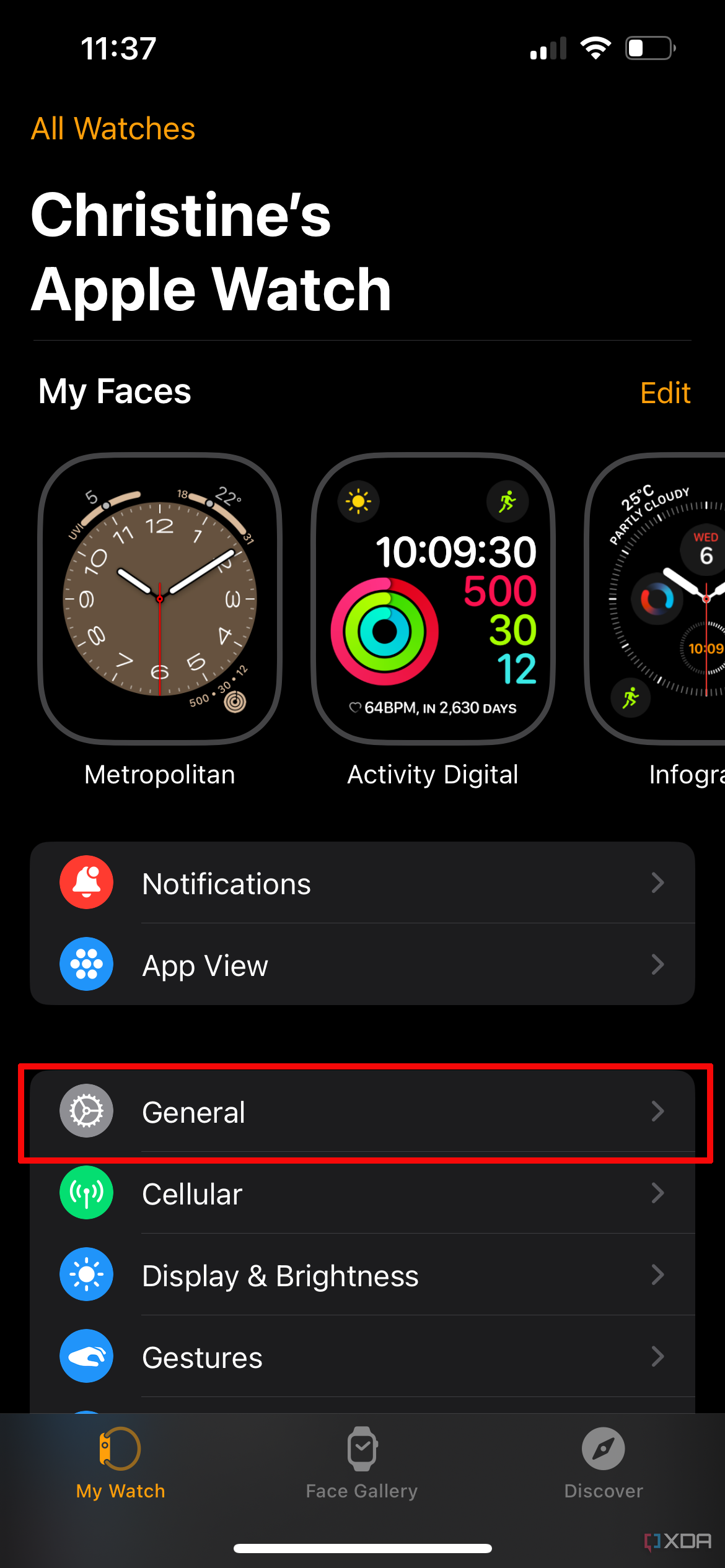
The Apple Watch app on your iPhone allows you to access your Apple Watch remotely. Open the Apple Watch app, and you'll see a list of your Apple Watch's features, including Activity, Workout, and Maps.
Conclusion
Setting up your Apple Watch may seem daunting at first, but with this step-by-step guide, you'll be able to navigate the process with ease. Remember to explore your Apple Watch's features, track your health and fitness, and access your Apple Watch via the app store. Happy pairing!
Additional Tips and Tricks for Apple Watch Beginners
Watch Faces and Complications
Customize your Apple Watch with various watch faces and complications. To change your watch face, press the Digital Crown and select a new face. To add complications, press the Digital Crown and select the complication you want to add.
Notifications and Music Control
Enable notifications on your Apple Watch by going to Settings > Notifications. You can also control your music playback, including skipping tracks, playing, and pausing.