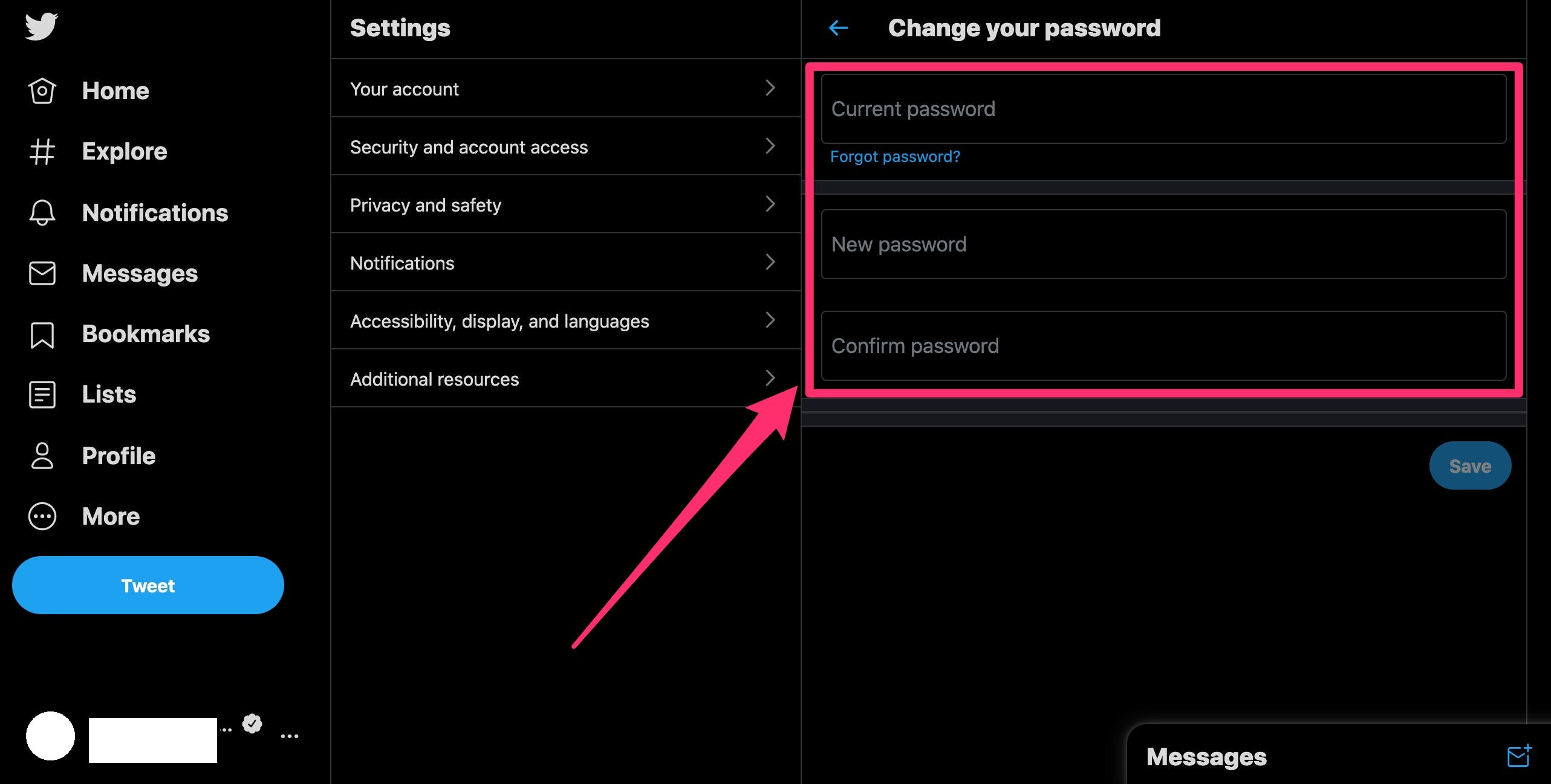
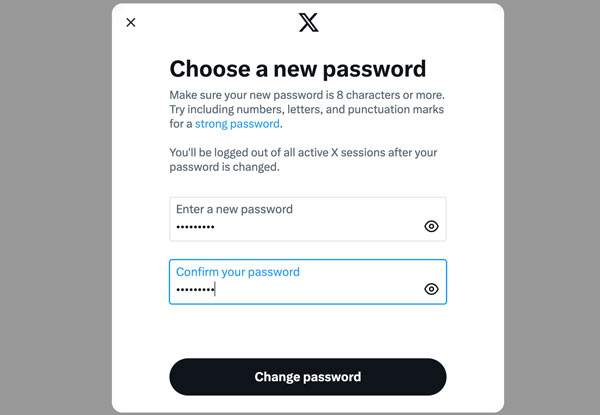
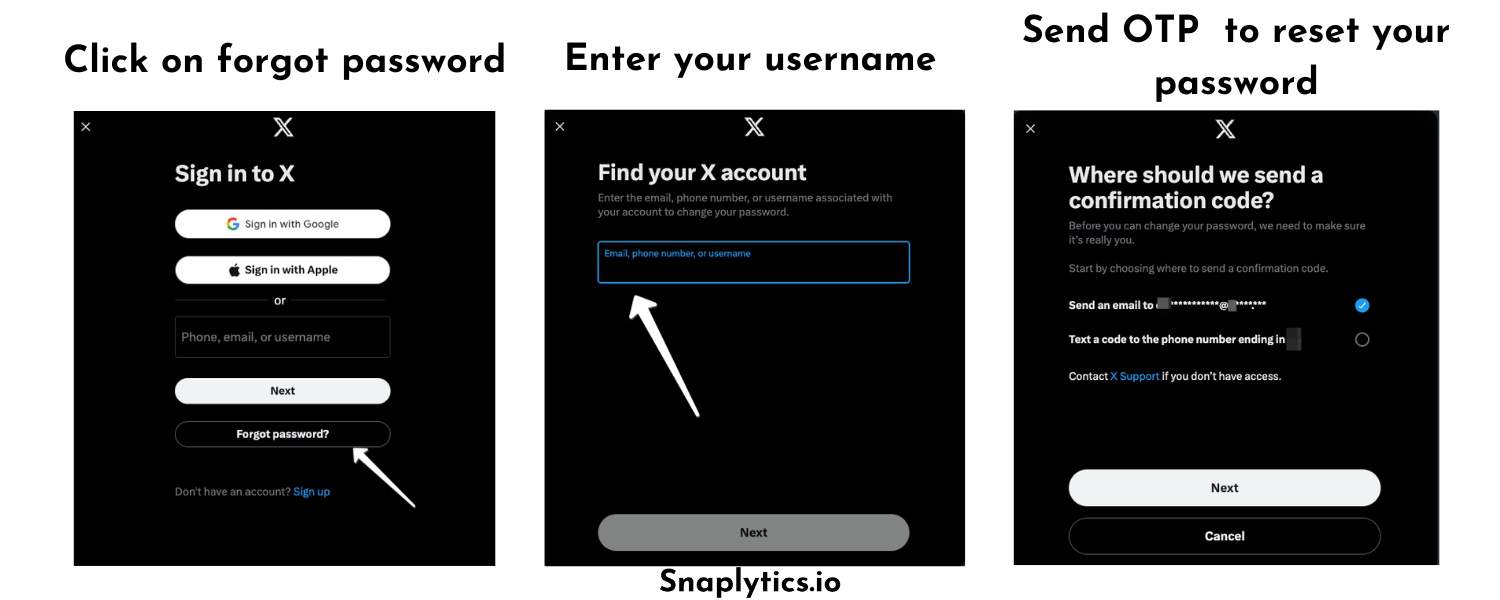
Protecting Your Twitter Password: A Comprehensive Guide
In today's digital age, protecting our online presence has become a crucial aspect of our daily lives. One of the most significant steps in safeguarding our personal and professional online reputation is protecting our Twitter password. With the rise in online hacking and cyber attacks, it's essential to take proactive measures to secure our Twitter account and prevent unauthorized access.
The Importance of Protecting Your Twitter Password
Protecting your Twitter password is essential to prevent your account from being compromised by hackers. A hacked Twitter account can lead to sensitive information being exposed, phishing scams, and even malware attacks. By taking simple steps to protect your password, you can ensure the security and integrity of your account.
Best Practices for Protecting Your Twitter Password
1. Use a Strong Password
A strong password is the first line of defense against hacking. A password that is at least 10 characters long, including uppercase and lowercase letters, numbers, and symbols, is more secure than a weak one. Consider using a password manager to safely store all of your passwords.
2. Enable Two-Factor Authentication (2FA)
Two-factor authentication adds an extra layer of security to your account by requiring a second form of verification in addition to your password. This can be in the form of a code sent to your phone or email.
3. Use a Secure Device
Make sure your device is secure by keeping it up-to-date with the latest software and security patches. Avoid using public computers or unsecured devices to access your Twitter account.
4. Monitor Your Account Activity
Regularly check your Twitter account activity to ensure that there are no suspicious logins or activities. Report any suspicious activity to Twitter immediately.
5. Avoid Phishing Scams
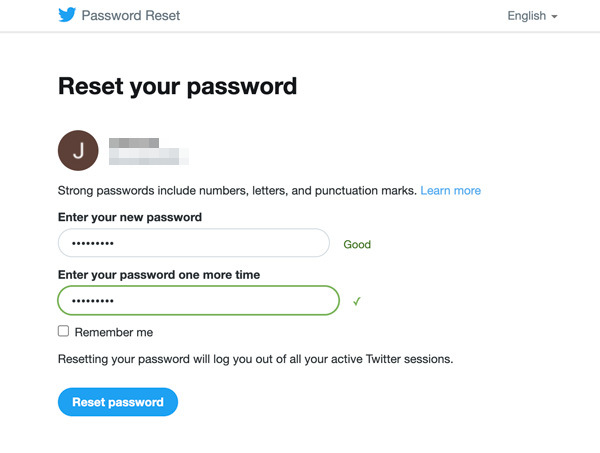
Phishing scams are often used to trick users into revealing their password or other sensitive information. Be cautious of emails or messages that ask you to reveal your password or other sensitive information.
Additional Security Measures to Protect Your Twitter Account
While protecting your password is the top priority, there are additional security measures you can take to ensure the security and integrity of your Twitter account.
1. Create a Strong Twitter Profile
Create a strong Twitter profile by setting up your account with a strong username and profile picture. Ensure that your profile is not public to prevent unwanted attention.
2. Use Advanced Twitter Settings
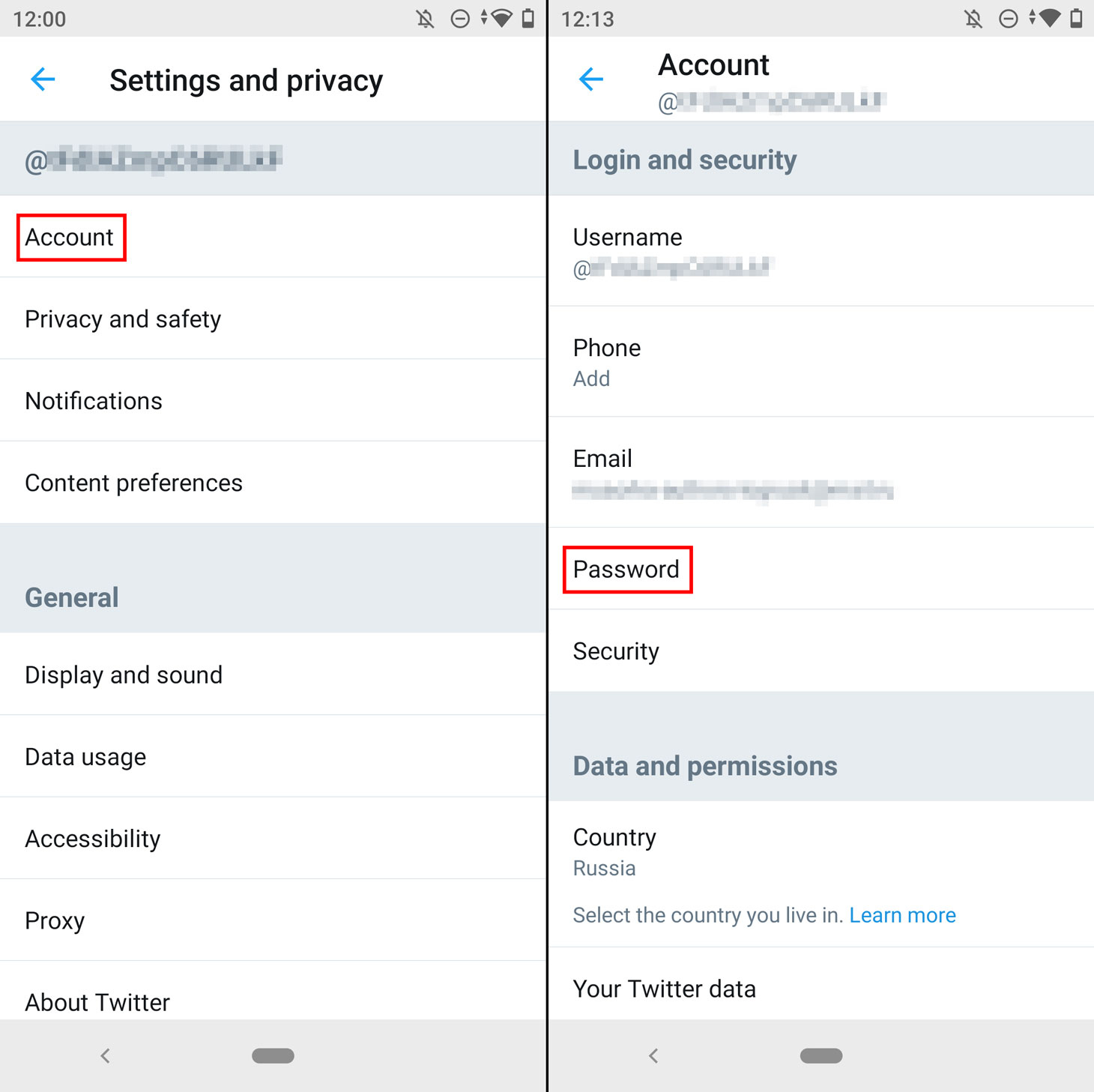
Explore Twitter's advanced settings to configure additional security measures such as restricting login access to trusted devices and requiring a password reset on suspicious activity.
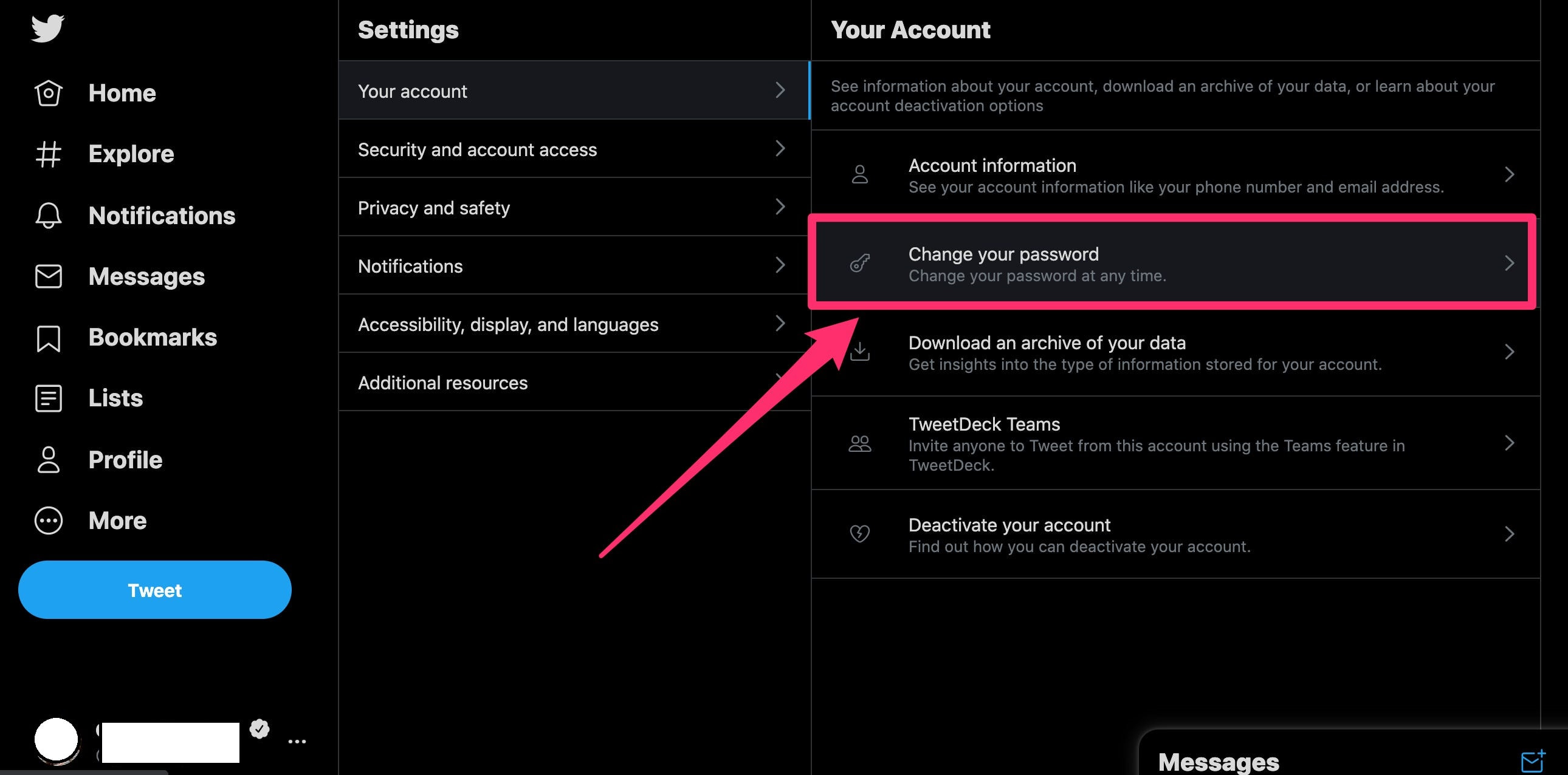
3. Regularly Update Your Password
Regularly update your Twitter password to prevent hacking and unauthorized access. Consider using a password manager to generate and store strong passwords.
4. Stay Informed About Twitter Security
Stay informed about Twitter security updates and best practices to ensure that your account remains secure and up-to-date.
Conclusion
Protecting your Twitter password and account is essential to prevent hacking, phishing, and other cyber attacks. By following the best practices outlined in this guide, you can ensure the security and integrity of your Twitter account. Always stay vigilant and up-to-date with Twitter security updates and best practices to keep your account safe.