How to Secure Your Instagram Account: A Comprehensive Guide
Introduction
In today's digital age, social media has become an integral part of our lives. With billions of users worldwide, Instagram is one of the most popular social media platforms. However, with great power comes great responsibility, and securing your Instagram account is crucial to protect your personal data and prevent it from being compromised or hacked.
Why is Instagram Security Important?
Instagram security is vital to safeguard your online presence and prevent potential harm from cyber threats. If your account is compromised or hacked, it can lead to identity theft, financial losses, and damage to your reputation. Moreover, with the increasing number of Instagram-related scams, it's essential to take proactive measures to ensure your account's security.
Step 1: Use Strong Passwords
Choose a strong, unique, and complex password for your Instagram account. Avoid using personal details such as your name, birthdate, or common words. Consider using a combination of letters, numbers, and special characters to make your password more secure.
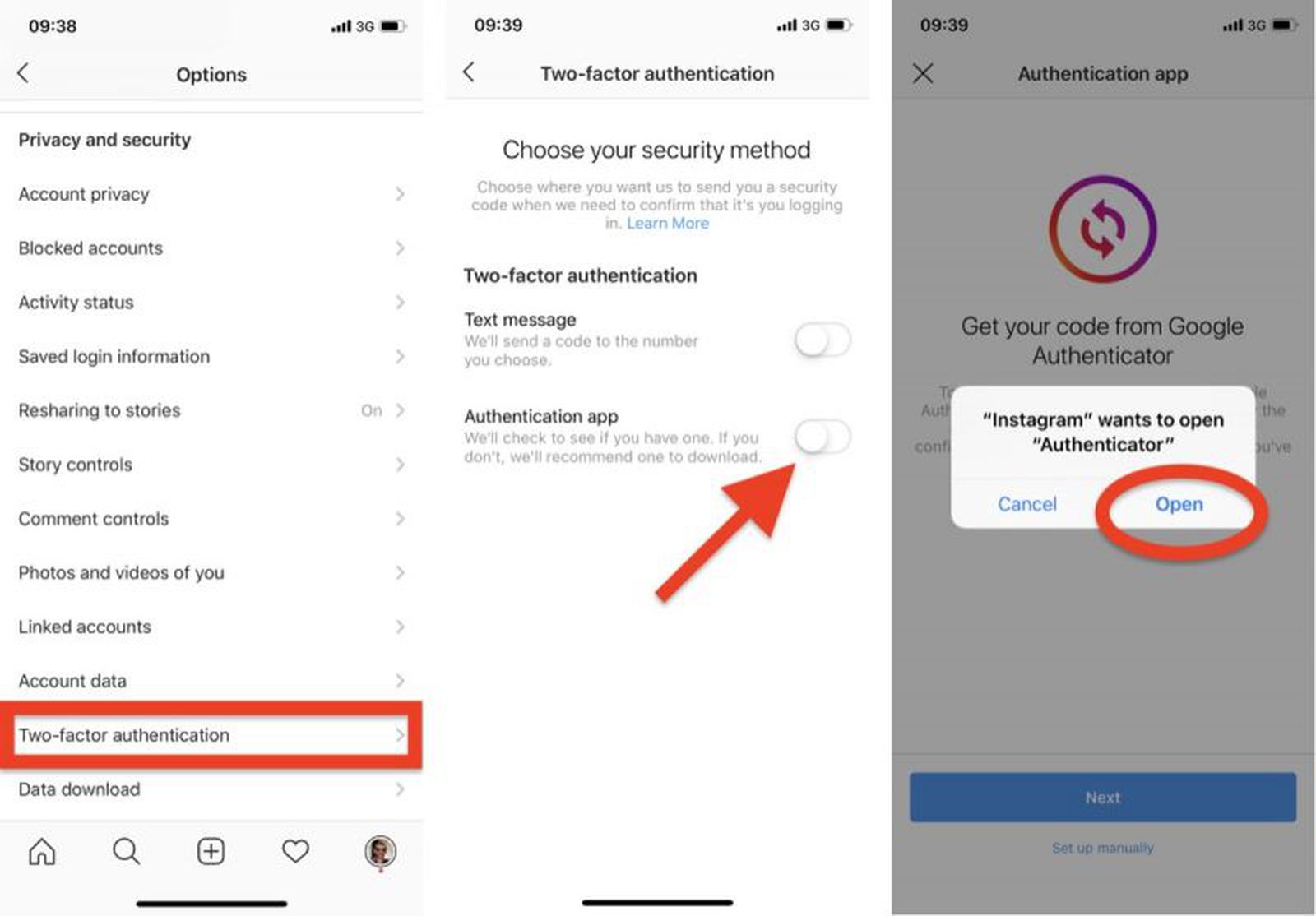
Step 2: Enable Two-Factor Authentication (2FA)
Two-factor authentication is a crucial step in securing your Instagram account. This feature requires you to provide a second form of verification, such as a code sent to your email or a authentication app, in addition to your password. This adds an extra layer of security to prevent unauthorized access to your account.
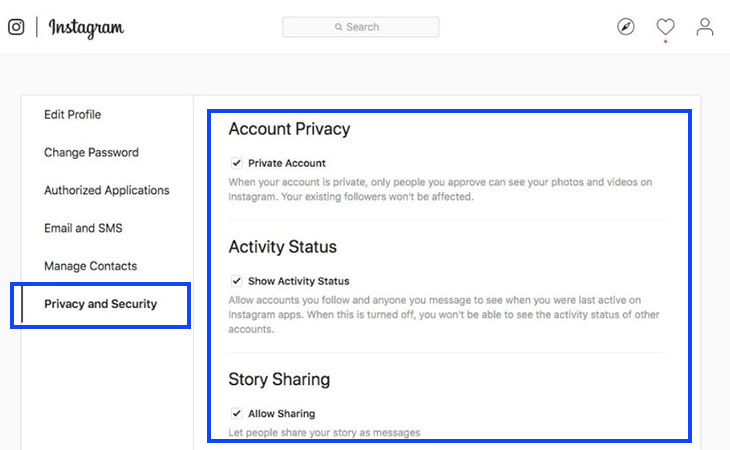
Step 3: Review Your Account Settings
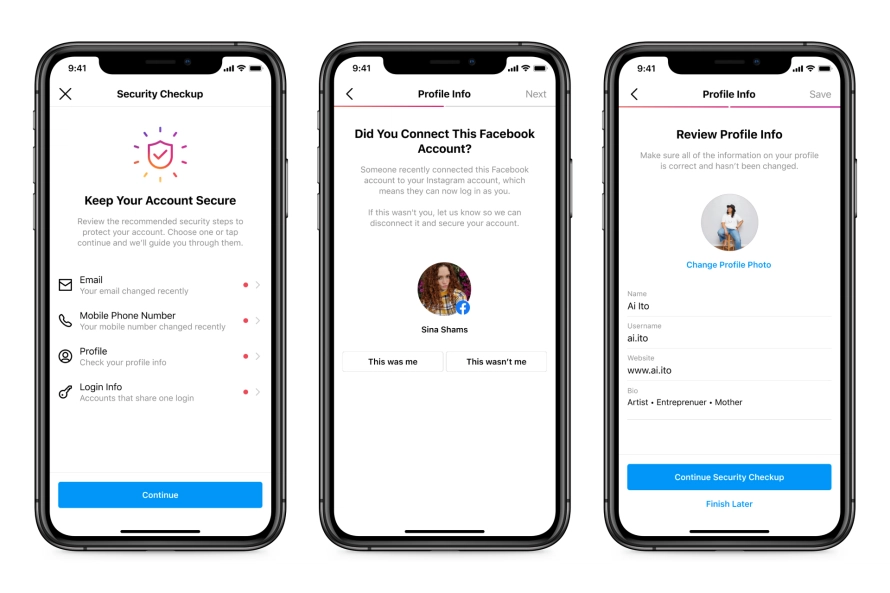
Regularly review your Instagram account settings to ensure your information is up-to-date and secure. Check your account page, profile, and settings to ensure that all your information is accurate and confidential.
Step 4: Monitor Your Account Activity
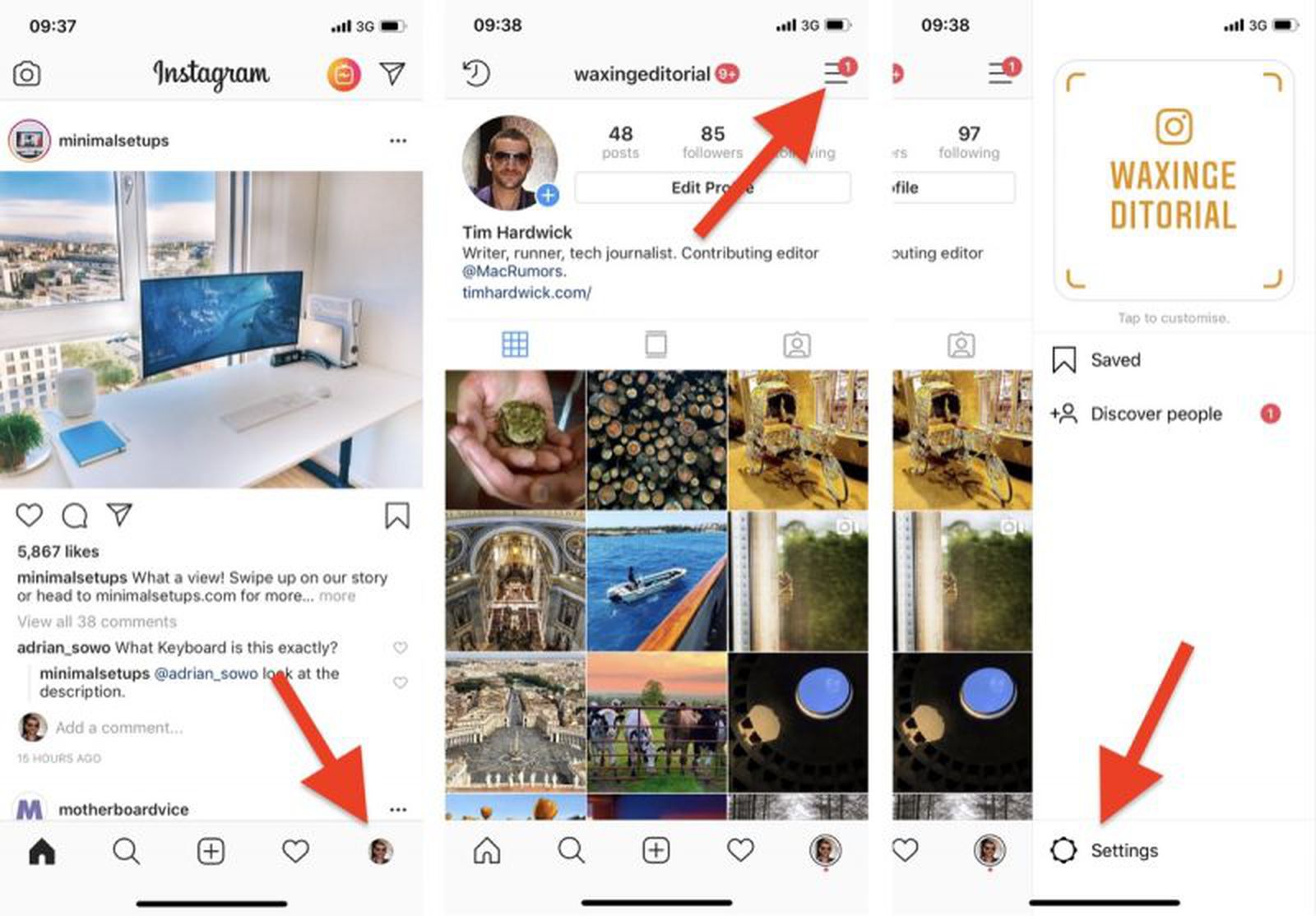
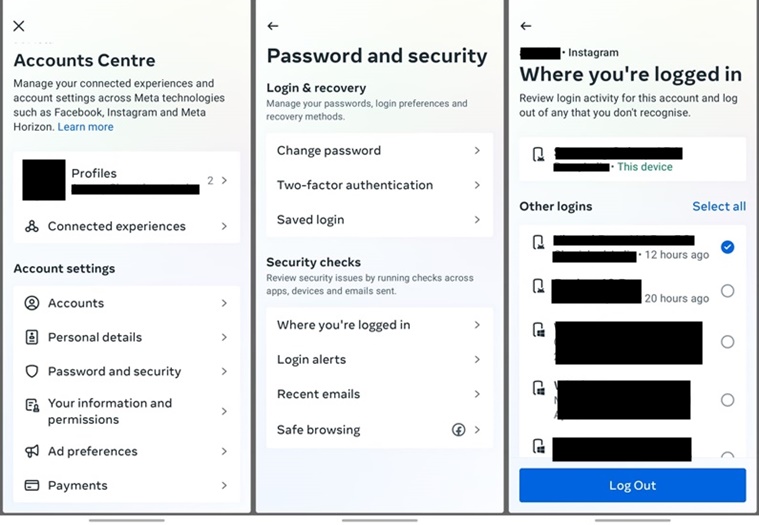
Keep an eye on your Instagram account activity by checking your login history and review your account settings regularly. This will help you identify any suspicious activity and take prompt action to secure your account.
Step 5: Use Instagram's Security Features
Meta provides various security features and tools to secure your Instagram account, including account recovery, login alerts, and account security. Familiarize yourself with these features to take advantage of their benefits.
Step 6: Be Cautious of Third-Party Apps
Third-party apps can access your Instagram account information, so it's essential to be cautious when granting permission to these apps. Only grant permission to trusted apps and ensure they have the necessary permissions to access your account settings.
Step 7: Keep Your Device Secure
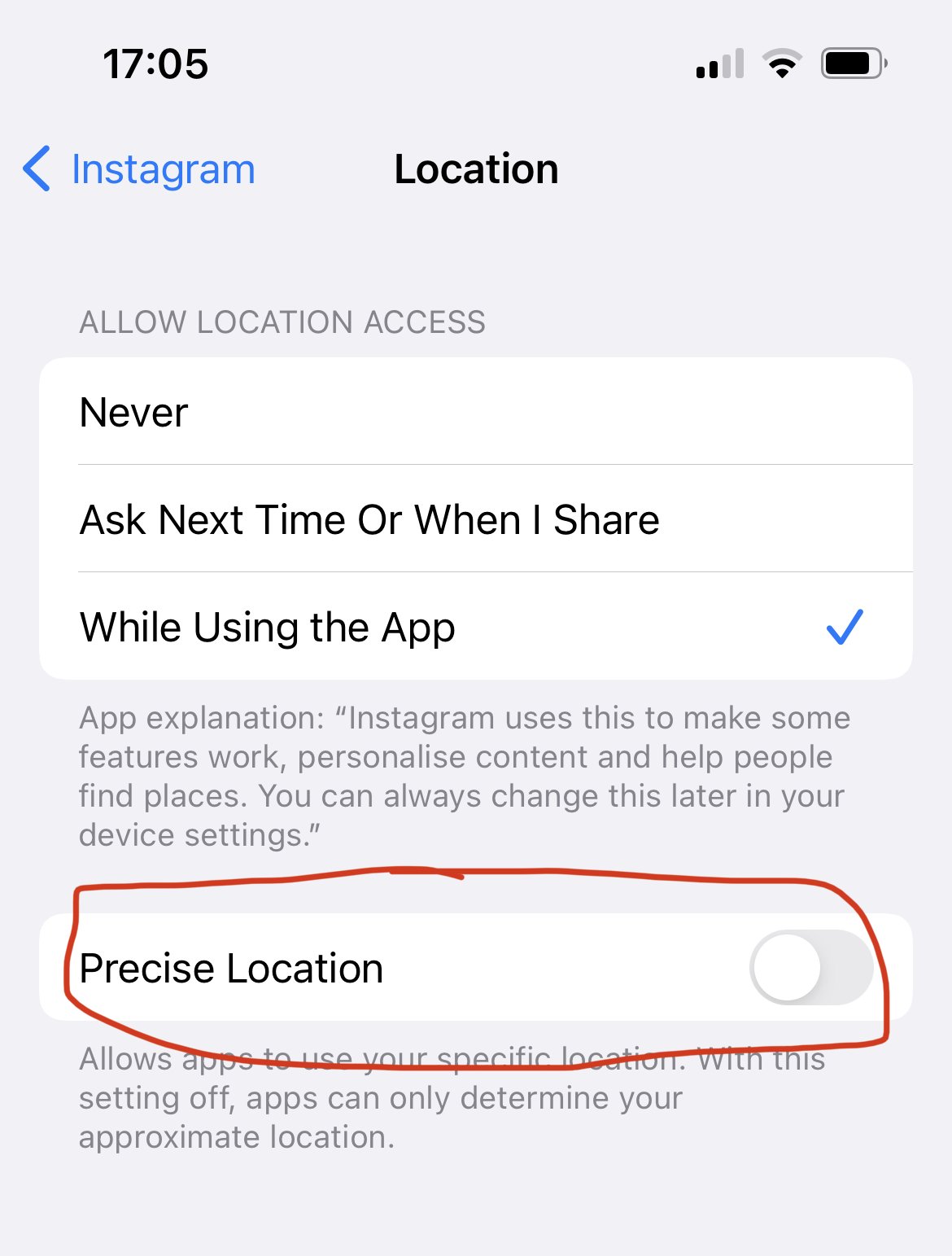
Ensure your device is secure by keeping your operating system and browser up-to-date, installing anti-virus software, and using a reputable security app. This will help prevent malware and other cyber threats from compromising your Instagram account.
Conclusion
Securing your Instagram account is a crucial step in protecting your online presence and preventing cyber threats. By following the steps outlined in this guide, you can enhance the security and privacy of your Instagram account and prevent it from being compromised or hacked. Remember, security is an ongoing process, so regularly review your account settings and adjust your settings as needed to stay secure.
Additional Tips
- Use a reputable VPN service to secure your online activities.
- Regularly back up your important data to prevent losses.
- Monitor your account for suspicious activity and report it to Instagram immediately.
- Use a secure messaging app to communicate with others.
- Keep your software and apps up-to-date to prevent security vulnerabilities.


![The Essential Guide to Secure Your Instagram Account [Updated]](https://miro.medium.com/v2/resize:fit:1080/1*gHFQpjN9rqUtbu0BciLF0g.jpeg "The Essential Guide to Secure Your Instagram Account [Updated]")