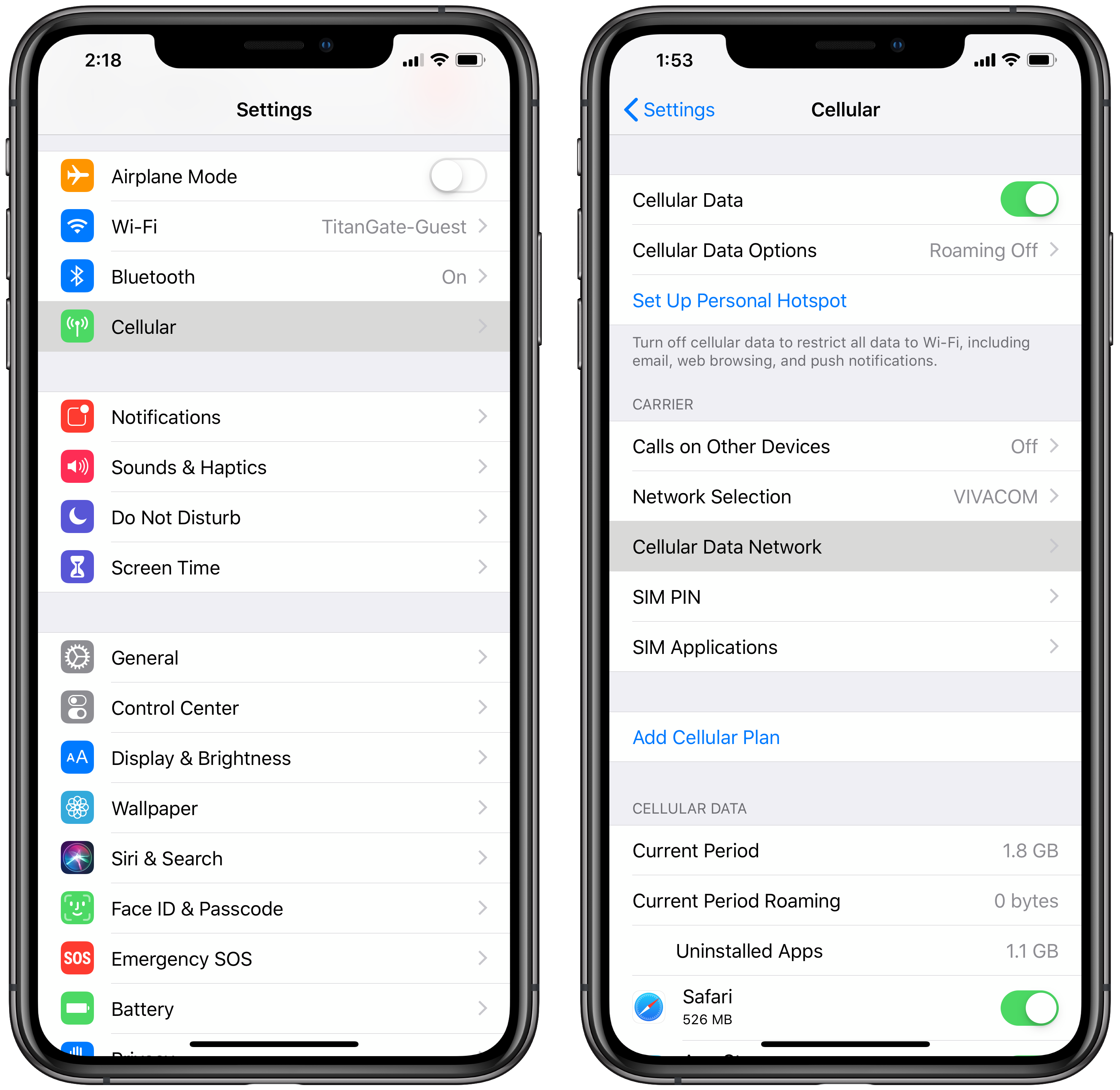
**How to Set Up Wi-Fi on Your Phone: A Step-by-Step Guide** ================================================================ Are you struggling to connect your cellphone to a Wi-Fi network? Look no further! In this article, we'll walk you through the simple process of setting up Wi-Fi on your phone, covering both Android and iPhone devices. **Why Do I Need to Connect to Wi-Fi?** ---------------------------------------- Connecting to a Wi-Fi network allows you to access the internet on your phone, browse the web, check your email, and much more. With Wi-Fi, you can enjoy faster data speeds, longer battery life, and reduced roaming charges. However, to make this possible, you need to set up Wi-Fi on your phone. **Prerequisites** ------------------ Before you start, ensure your phone is turned on and you have a Wi-Fi network available to connect to. **Setting Up Wi-Fi on Android Devices** -------------------------------------- ### Step 1: Access the Settings App Open the Settings app on your Android phone. The app is usually located on the home screen or in the app drawer. ### Step 2: Select Wi-Fi Tap on the Wi-Fi option, usually found in the Wireless & Networks section. ### Step 3: Search for Available Networks Search for available Wi-Fi networks in your area. You can do this by clicking on the Wi-Fi switch and selecting the network you want to connect to. ### Step 4: Enter Wi-Fi Password Enter the Wi-Fi password when prompted. If you don't know the password, contact your network administrator or the person who set up the network. ### Step 5: Confirm Connection Once the password is entered correctly, tap the "Connect" button to establish a secure connection to the Wi-Fi network. **Setting Up Wi-Fi on iPhone Devices** -------------------------------------- ### Step 1: Access the Settings App Open the Settings app on your iPhone. The app is usually located on the home screen. ### Step 2: Select Wi-Fi Tap on the Wi-Fi option, usually found in the General section. ### Step 3: Search for Available Networks Search for available Wi-Fi networks in your area. You can do this by clicking on the Wi-Fi switch and selecting the network you want to connect to. ### Step 4: Enter Wi-Fi Password Enter the Wi-Fi password when prompted. If you don't know the password, contact your network administrator or the person who set up the network. ### Step 5: Confirm Connection Once the password is entered correctly, tap the "Connection" or "Join" button to establish a secure connection to the Wi-Fi network. **Troubleshooting Tips** ------------------------- If you're experiencing issues connecting to a Wi-Fi network, try the following: * Restart your phone and try connecting again. * Check that your phone is in range of the Wi-Fi router. * Ensure that your Wi-Fi network is not set to hidden or encrypted. * Refer to your phone's user manual for specific troubleshooting instructions. **, Additional Features