Ergonomic Tips for Preventing Tech Neck Strain
With the increasing use of electronic devices, tech neck strain has become a common issue for many individuals. In fact, a study found that 80% of computer users experience neck pain due to improper posture and prolonged screen time.
However, by incorporating a few simple ergonomic tips into your daily routine, you can prevent tech neck strain and maintain a healthy and comfortable workspace.
Understanding the Causes of Tech Neck Strain
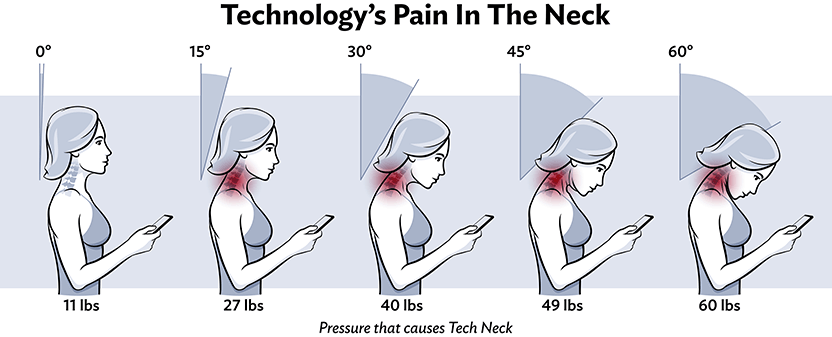
Tech neck strain occurs when you spend extended periods gazing at a screen, leading to muscle strain and discomfort in the neck and shoulders. There are several factors that contribute to tech neck strain, including:
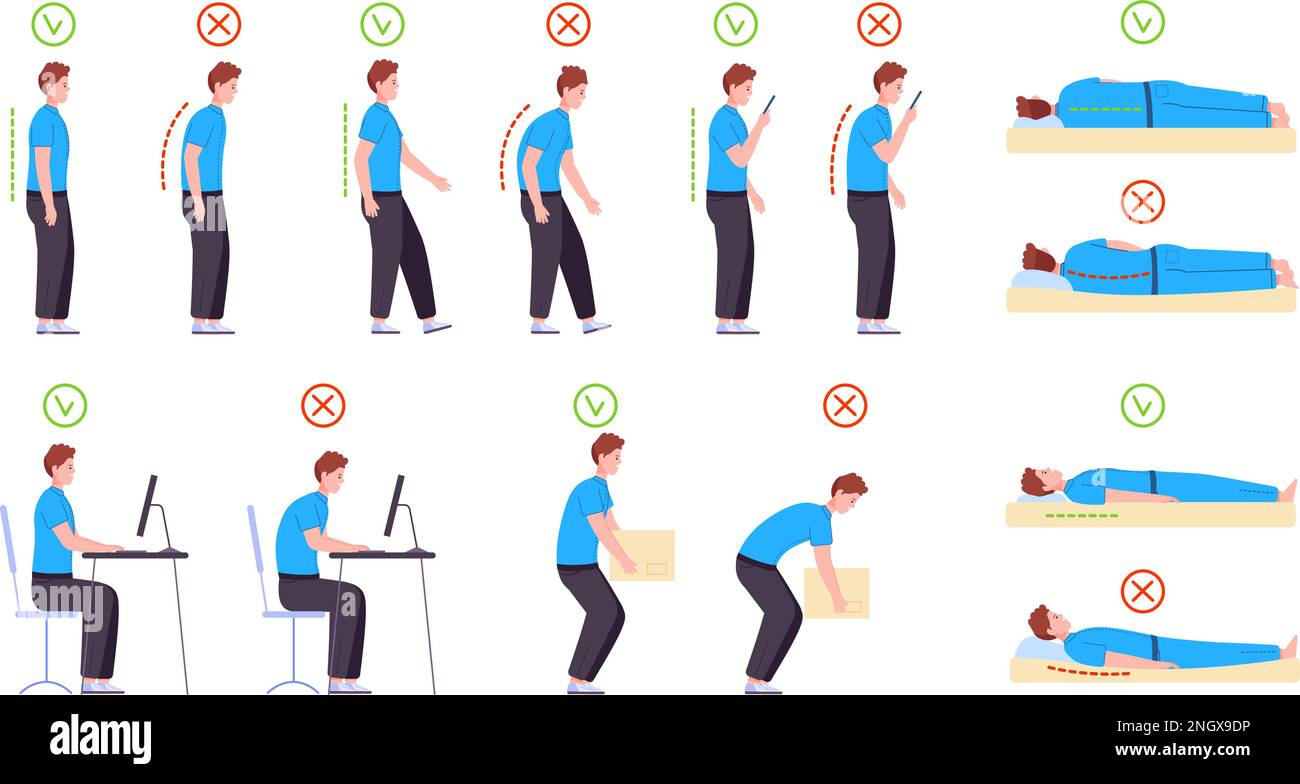
- Poor posture: Slouching, leaning, or tilting your head forward can put strain on the muscles in your neck and shoulders.
- Incorrect screen position: If your screen is too high or too low, it can cause you to tilt your head forward or crane your neck.
- Insufficient breaks: Failing to take regular breaks to stretch and move around can lead to muscle fatigue and strain.
- Improper workspace setup: A cluttered or awkward workspace can lead to poor posture and discomfort.
Ergonomic Tips for Preventing Tech Neck Strain

Fortunately, there are several simple and effective ergonomic tips that can help prevent tech neck strain:
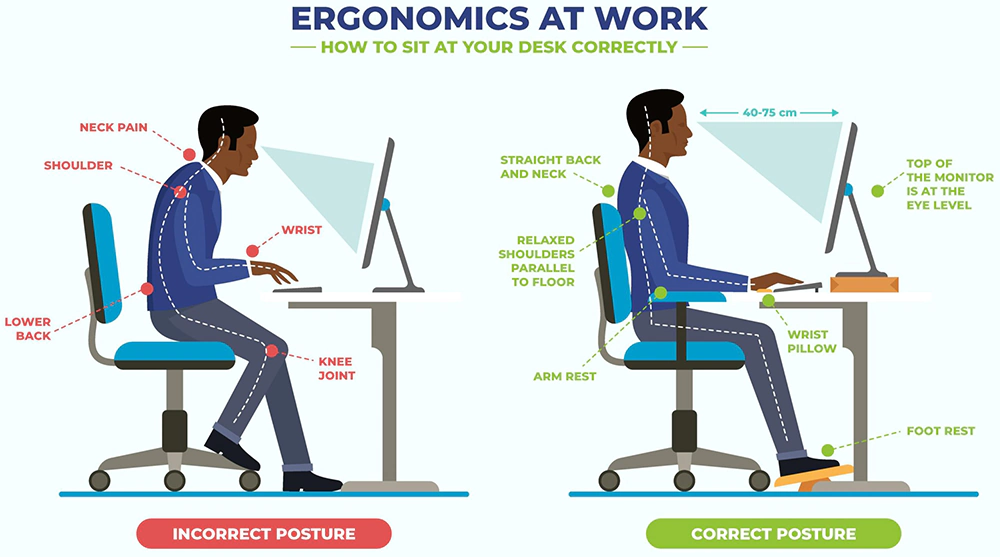
- Position your monitor at eye level: Place your monitor directly in front of you, at a distance of about 20-25 inches, and at eye level to avoid tilting your head forward.
- Adjust your chair height correctly: Ensure that your chair is at the correct height to support your back and maintain good posture.
- Take regular breaks: Take a 10-15 minute break every hour to stand up, stretch, and move around to reduce muscle fatigue and strain.
- Use a document holder: Use a document holder to keep paperwork at eye level to avoid craning your neck and shoulders.
- Practice good posture: Maintain good posture by sitting up straight, keeping your shoulders relaxed, and engaging your core muscles.
- Stretch regularly: Regular stretching can help reduce muscle tension and prevent strain in the neck and shoulders.
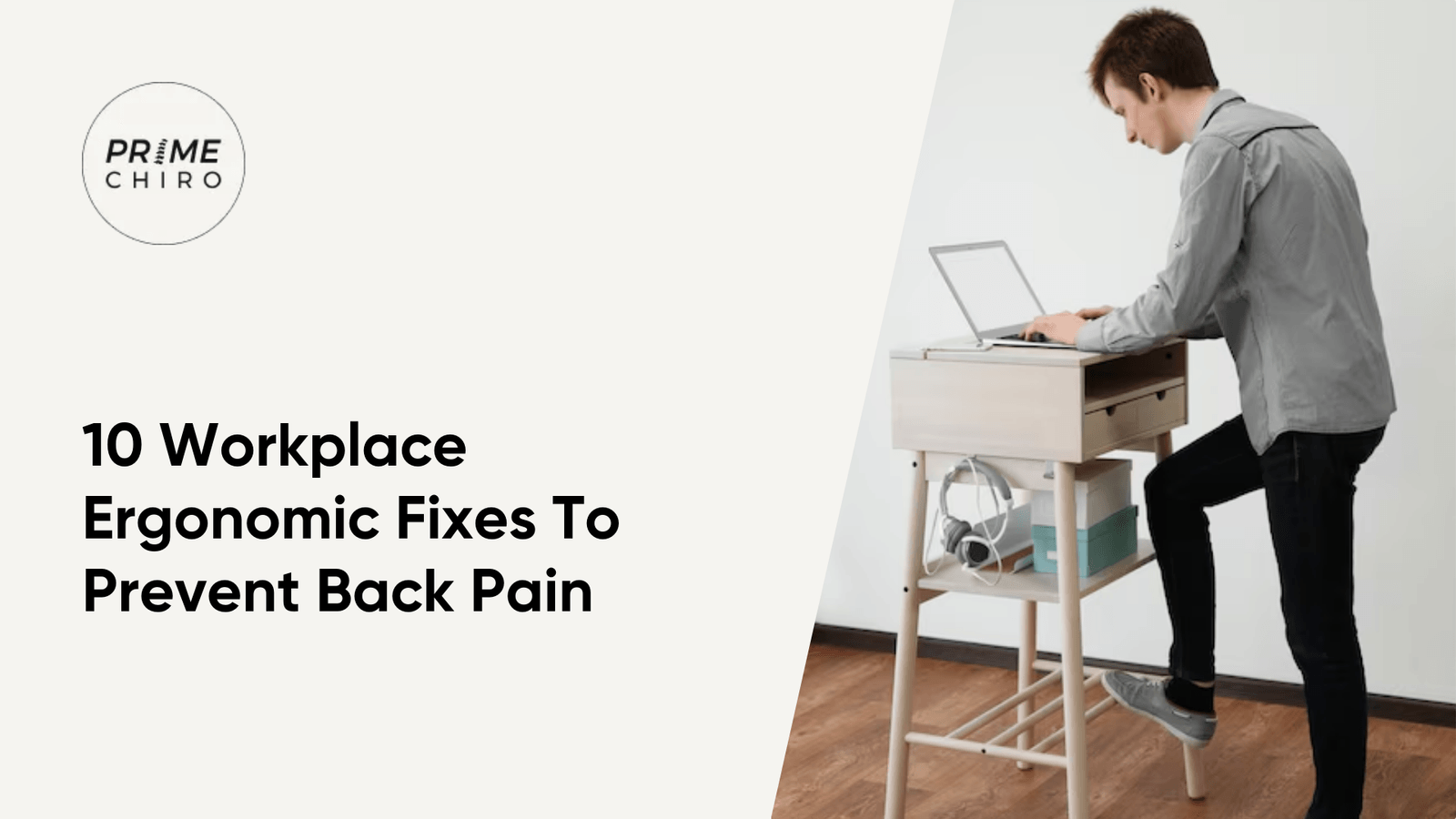
- Consider a standing desk: Consider using a standing desk or adjusting your existing desk to a standing position to reduce sitting time and promote good posture.
- Invest in an ergonomic keyboard and mouse: Use an ergonomic keyboard and mouse to reduce strain on your wrists and hands.
Conclusion
By incorporating these simple ergonomic tips into your daily routine, you can prevent tech neck strain and maintain a healthy and comfortable workspace. Regular exercise, stretching, and taking breaks can also help reduce muscle fatigue and strain.
By prioritizing your ergonomic needs, you can reduce the risk of neck and shoulder pain, improve your productivity, and maintain a healthy and comfortable workspace.