Home Network Security and Router: A Comprehensive Guide
Whether it's your home or office, having a secure network is a must-have in this day and age. A secure router gives you access to a ton of security features that protect your network against attacks and privacy compromises - especially if you have lots of devices connected. These days, you can choose from a wide range of routers that cater to different needs and budgets.
Why Home Network Security Matters
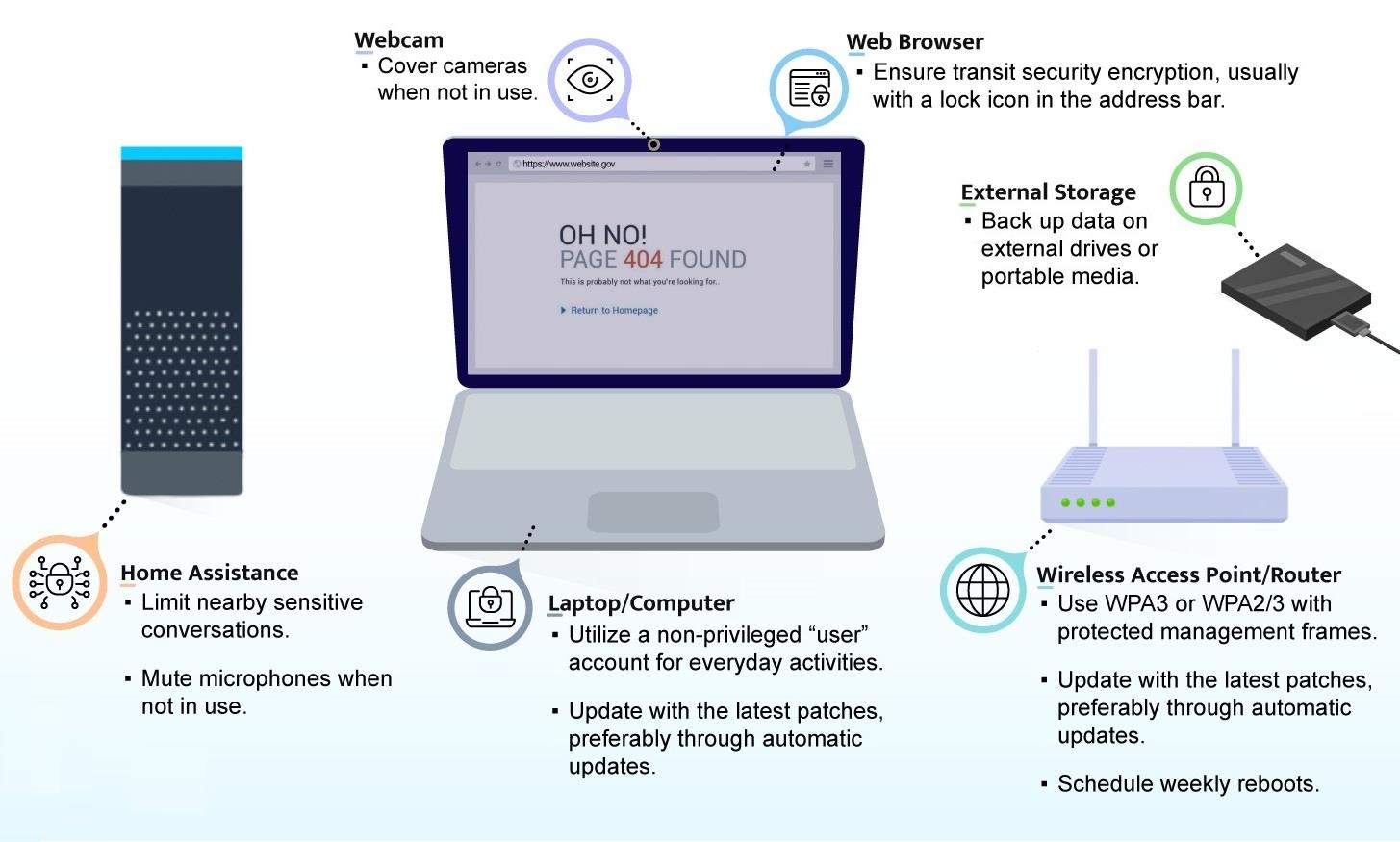
As our dependence on the internet continues to grow, so does the risk of cyber threats to our networks. A compromised router can give hackers access to your sensitive information, such as passwords, financial data, and personal details. It's, therefore, crucial to prioritize home network security and keep your router up-to-date with the latest security patches and firmware updates.
Router Security Features to Look Out For
When selecting a router, there are several security features that you should look out for. These include:
- WPA3 Encryption: This is the latest encryption standard that provides robust security for your Wi-Fi network.
- Automatic Firmware Updates: Regular firmware updates ensure that your router stays secure and patched against the latest vulnerabilities.
- Firewall Protection: A built-in firewall provides an additional layer of protection against malicious traffic and hackers.
- Network Control: This feature allows you to control access to your network, setting up access controls for devices and limiting online traffic.
Best Practices for Securing Your Home Network
_20240830055723o.jpg)
While a secure router is an essential component of a secure network, there are several best practices that you can follow to ensure the security of your home network. These include:
- Change Your Default Router Username and Password: Avoid using the default login credentials and change them to a strong, unique password.
- Regularly Update Your Router Firmware: Keep your router firmware up-to-date with the latest security patches and updates.
- Use a VPN (Virtual Private Network): A VPN provides an additional layer of security for your online activities, encrypting your internet traffic and protecting your IP address.
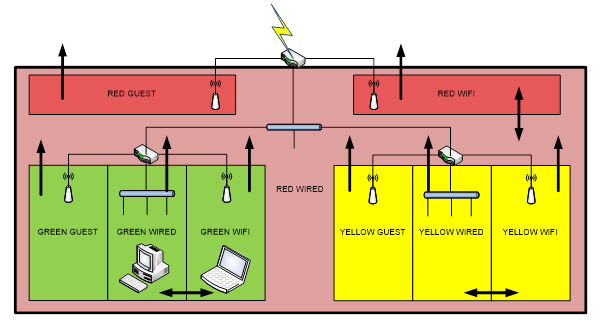
- Limit Guest Access: Limit guest access to your network by setting up a guest network and controlling their access to online resources.
Top Routers for Home Network Security
There are several top-rated routers that cater to different needs and budgets. Some of the top routers for home network security include:
- TP-Link Archer C9: This router offers robust security features, including WPA3 encryption, automatic firmware updates, and a built-in firewall.
- Netgear Nighthawk R7000: This router offers a powerful firewall, automatic firmware updates, and a robust network control system.
- Asus RT-AC86U: This router offers a powerful firewall, automatic firmware updates, and a robust network control system.
Conclusion
Home network security is a critical concern in today's digital age. A secure router provides robust security features that protect your network against attacks and privacy compromises. By following best practices and choosing a top-rated router, you can ensure the security of your home network and protect your online activities.

/GettyImages-1135532703-46470d937a22447c8c7b1a375e39e682.jpg "How to Secure Your Router & Protect Your Network | Essential Tips - NETGEAR")