Remove DNS Spoofing on Router: A Comprehensive Guide
What is DNS Spoofing?
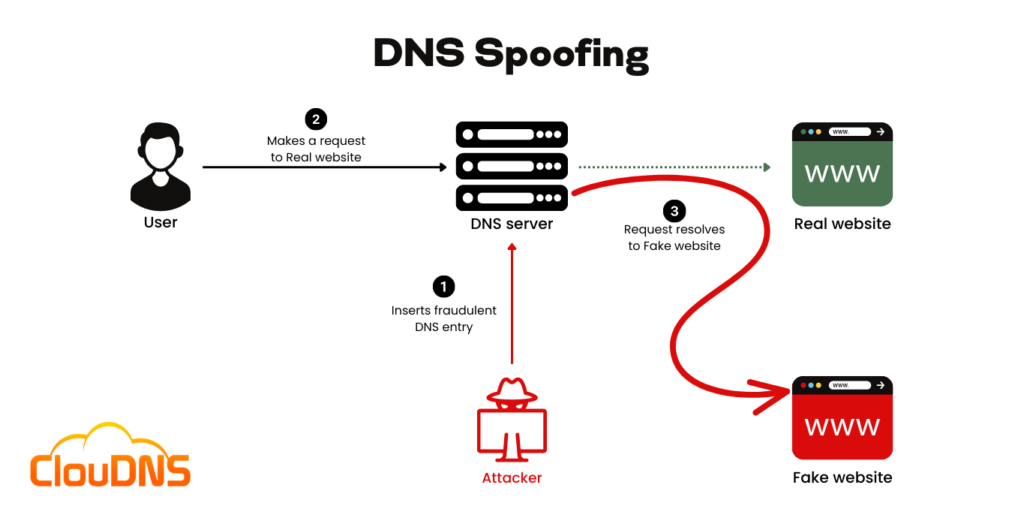
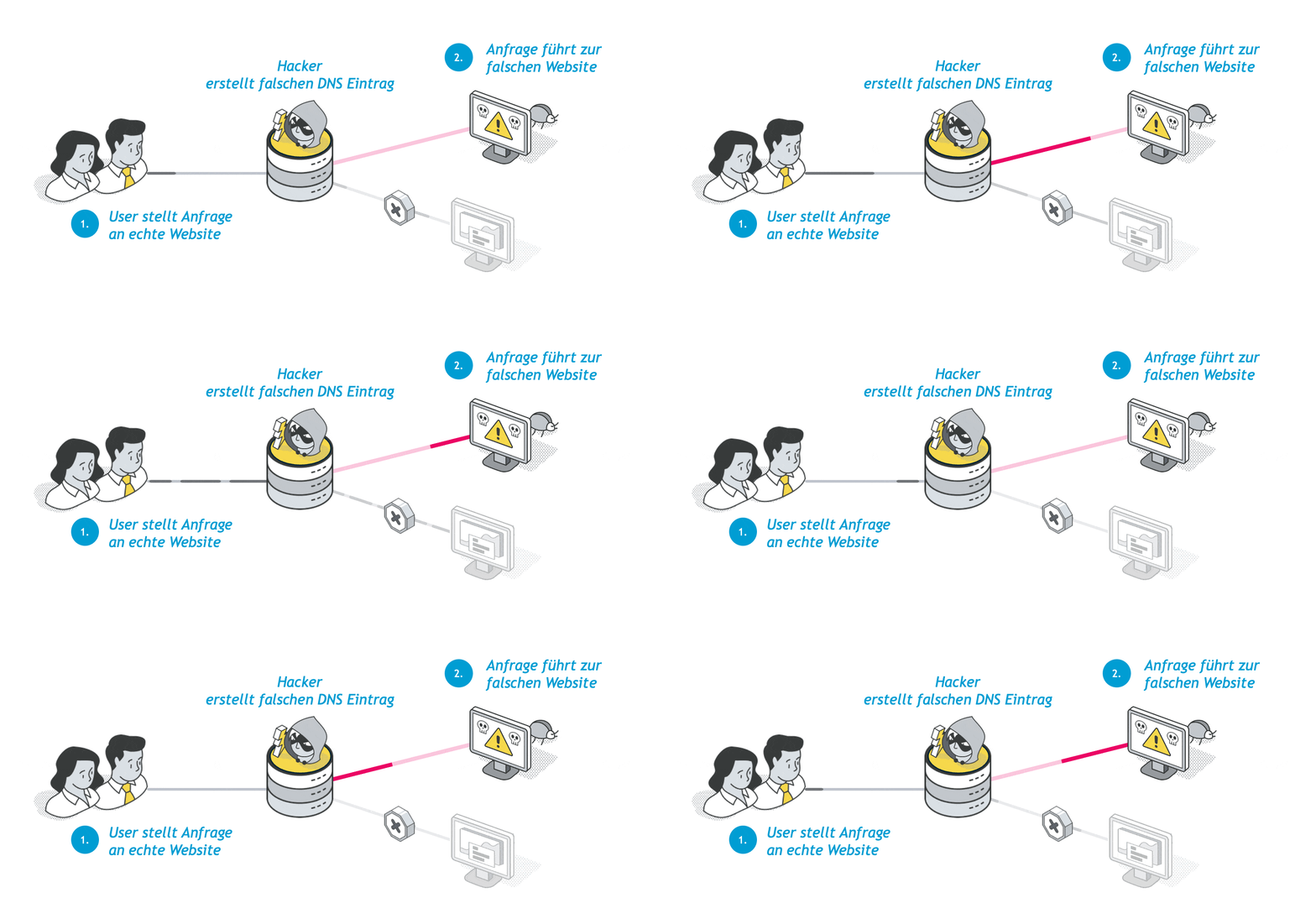
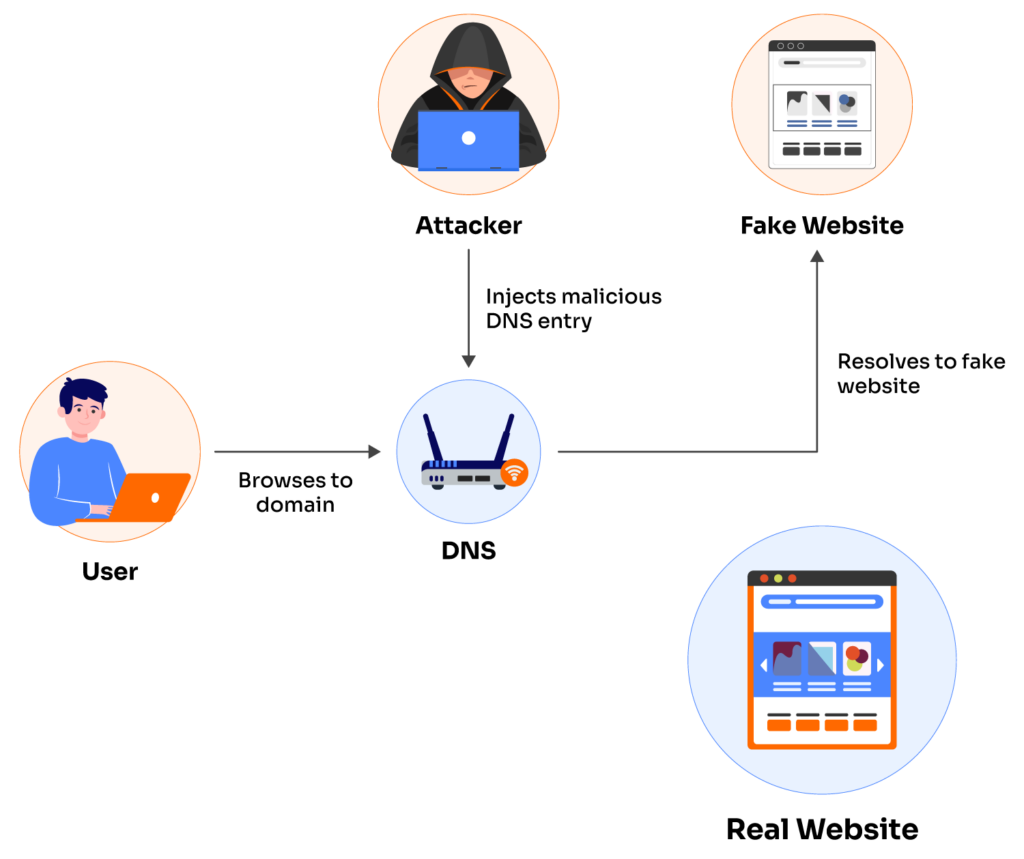
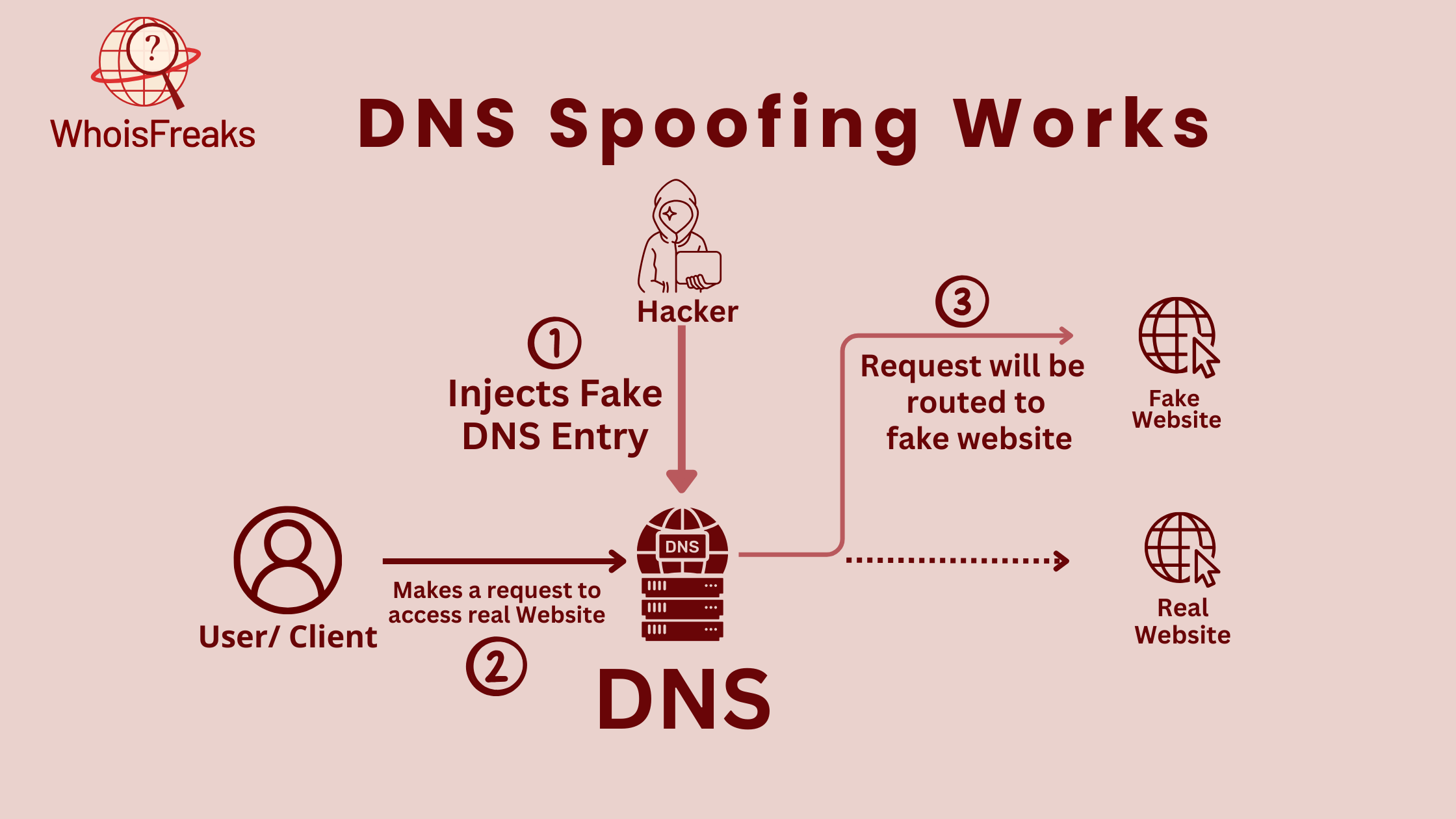
DNS spoofing, also known as DNS cache poisoning, is a type of cybersecurity hacking that involves fraudulent Domain Name System (DNS) data being launched into the DNS resolver's cache. This causes the name server to return an inaccurate result record, such as an IP address. DNS spoofing is a serious threat to network security, as it can redirect users to fake websites, steal sensitive data, or install malware onto users' devices.
How to Remove DNS Spoofing on Router
To remove DNS spoofing on your router, you need to take a multi-layered approach. Here are the steps you can follow:
-
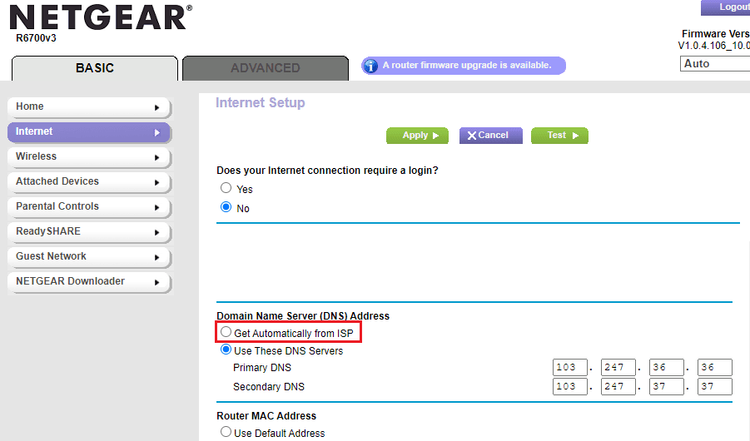
Secure DNS Settings
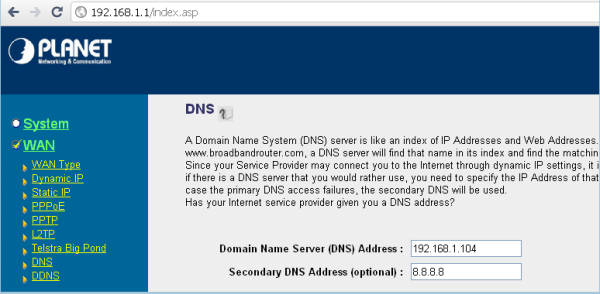
Secure your DNS settings by configuring your router to use secure DNS resolvers like Google's Public DNS (8.8.8.8 and 8.8.4.4) or Cloudflare DNS (1.1.1.1 and 1.0.0.1). You can also consider using a DNS service that offers additional security features like DNS over HTTPS (DoH) or DNS over TLS (DoT).
-
Clear DNS Cache
Regularly clear your DNS cache to prevent DNS spoofing attacks. You can do this by restarting your router or using the "ipconfig /flushdns" command on Windows or "sudo killall -HUP mDNSResponder" command on macOS.
-
Enable Anti-Spoofing Features
Enable anti-spoofing features on your router to prevent DNS spoofing attacks. These features can include DNS spoofing detection, DNS query filtering, and DNS response manipulation.
-
Implement DNSSEC
Implement DNSSEC (Domain Name System Security Extensions) to verify DNS responses and prevent DNS spoofing attacks. DNSSEC uses digital signatures to authenticate DNS responses, ensuring that they have not been tampered with during transmission.
Best Practices to Prevent DNS Spoofing
Here are some best practices to prevent DNS spoofing attacks:
-
Use Secure DNS Resolvers
Use secure DNS resolvers that offer additional security features like DNS over HTTPS (DoH) or DNS over TLS (DoT).
-
Configure DNSSEC
Configure DNSSEC on your DNS server to verify DNS responses and prevent DNS spoofing attacks.
-
Regularly Update Your Router's Firmware
Regularly update your router's firmware to ensure that you have the latest security patches and features.
-
Monitor Your DNS Traffic
Monitor your DNS traffic to detect and prevent DNS spoofing attacks.
Conclusion
Remove DNS spoofing on your router by securing your DNS settings, clearing your DNS cache, enabling anti-spoofing features, and implementing DNSSEC. Follow best practices to prevent DNS spoofing attacks and ensure the security of your network.