YouTube Channel Setup and Customization: A Comprehensive Guide
In today's digital age, having a professional YouTube channel is crucial for creators to showcase their talents, build their brand, and connect with their audience. However, setting up and customizing a YouTube channel can be a daunting task, especially for beginners. In this article, we will walk you through the step-by-step process of setting up and customizing your YouTube channel, so you can create a visually appealing and engaging presence on the platform.
Step 1: Setting Up Your YouTube Channel
The first step in setting up your YouTube channel is to create a Google account if you don't already have one. Once you have a Google account, you can sign in to YouTube and create a new channel. Fill out the required information, such as your channel name, description, and keywords. Choose a username that reflects your brand and is easy to remember.
Step 2: Customizing Your Channel Art
Customizing your channel art is an essential part of creating a professional-looking YouTube channel. Your channel art, including your profile picture and banner, will be the first thing viewers see when they visit your channel. Use a high-quality image that represents your brand and is consistent with your content. Make sure your profile picture is square-shaped and your banner is 2560 x 1440 pixels in size.
Step 3: Customizing Your Channel Layout
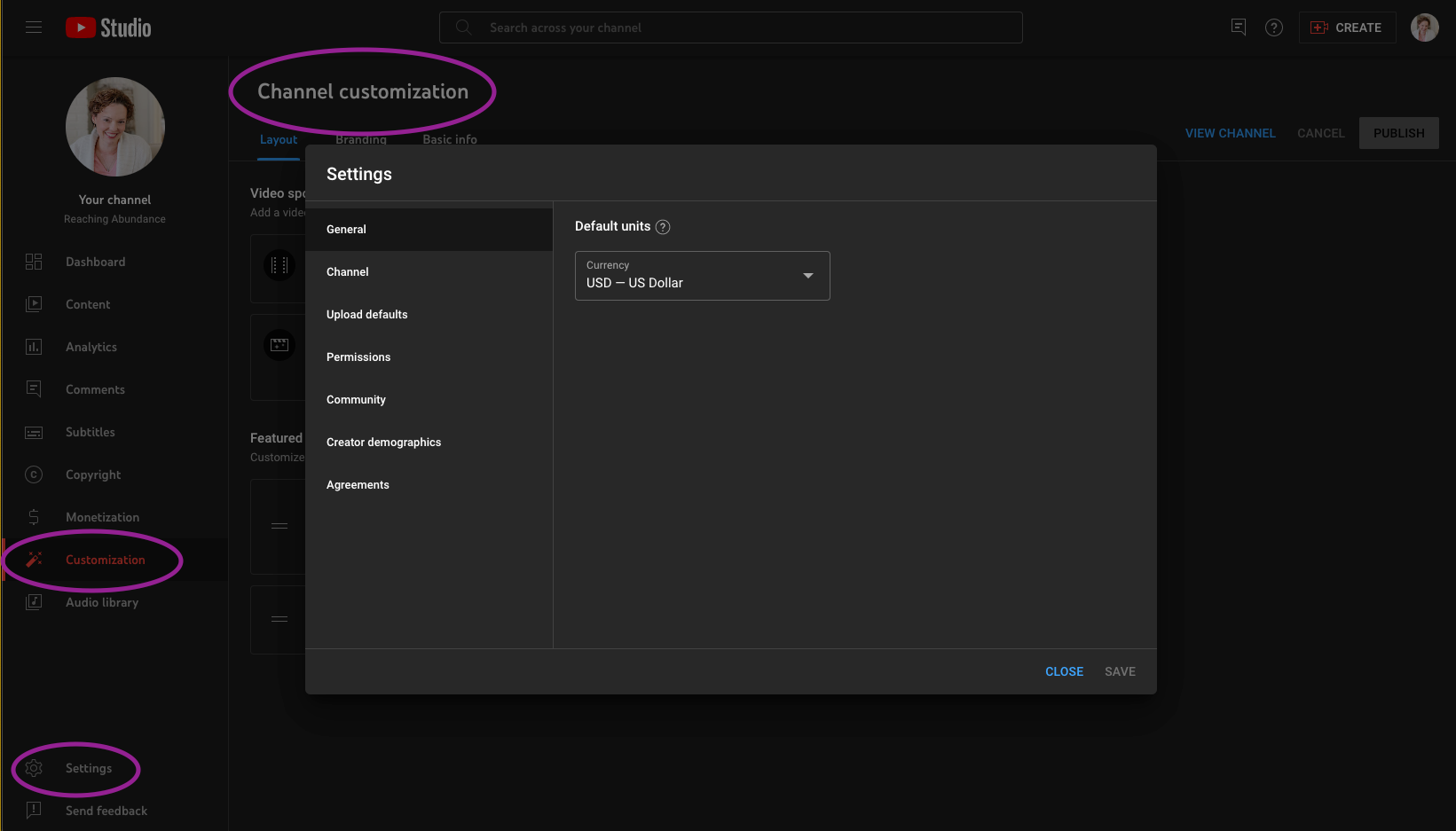
Customizing your channel layout is another crucial step in creating a visually appealing YouTube channel. Use the "Customization" tab in YouTube Studio to organize your channel trailer, featured video, and channel sections. This will help you showcase your multiple video formats and create a cohesive look for your channel.
Step 4: Branding Your Channel
Branding your channel is essential for creating a professional and consistent image. Use a consistent color scheme, font, and design throughout your channel art, description, and videos. This will help you build a recognizable brand and make your channel more memorable for viewers.
Step 5: Writing a Compelling Channel Description
Your channel description is a crucial part of your YouTube channel's branding. Write a compelling description that includes your channel's mission, what viewers can expect from your content, and a call-to-action to encourage viewers to subscribe. Use keywords that reflect your content and make sure your description is easy to read and understand.
Step 6: Customizing Your Channel Sections
Customizing your channel sections is another important step in creating a professional-looking YouTube channel. Use the "Customization" tab in YouTube Studio to create custom sections that showcase your content and make it easy for viewers to find what they're looking for.
Step 7: Creating a Consistent Branding Across All Platforms
Creating a consistent branding across all platforms is essential for building a strong brand and increasing your reach. Use your channel art, description, and branding across all social media platforms and other online presence. This will help you build a recognizable brand and make it easy for viewers to find and recognize you across different platforms.
Conclusion
In conclusion, setting up and customizing your YouTube channel is a crucial step in creating a professional and engaging presence on the platform. By following these steps, you can create a visually appealing and cohesive channel that showcases your brand and content. Remember to customize your channel art, layout, branding, description, and sections to create a consistent image and make it easy for viewers to find what they're looking for. With these steps, you'll be well on your way to creating a successful YouTube channel that attracts and engages your audience.







![[FREE] YouTube Channel ID Finder - TunePocket](https://i.ytimg.com/vi/88zXnODvHUo/maxresdefault.jpg "[FREE] YouTube Channel ID Finder - TunePocket")


