How to Cancel Instagram Account: A Step-by-Step Guide
If you're tired of maintaining an Instagram account and want to take a break from the social media platform, you're not alone. With millions of users worldwide, it's no surprise that people want to know how to cancel their Instagram account permanently or temporarily. In this article, we'll walk you through the process of deleting your Instagram account, including the differences between deletion and deactivation, and how to regain access to your deactivated account.
Why Delete Your Instagram Account?
There are several reasons why you might want to delete your Instagram account. Perhaps you're concerned about your online privacy, or maybe you simply want to take a break from social media. Whatever your reason, deleting your account is a straightforward process that can be completed in just a few steps.
How to Delete Your Instagram Account
If you're sure you want to delete your Instagram account, here's a step-by-step guide to help you do so:
- Open the Instagram app on your mobile device or visit the Instagram website on your desktop.
- Tap your profile picture in the bottom right corner of the screen or click your profile picture in the top right corner of the screen.
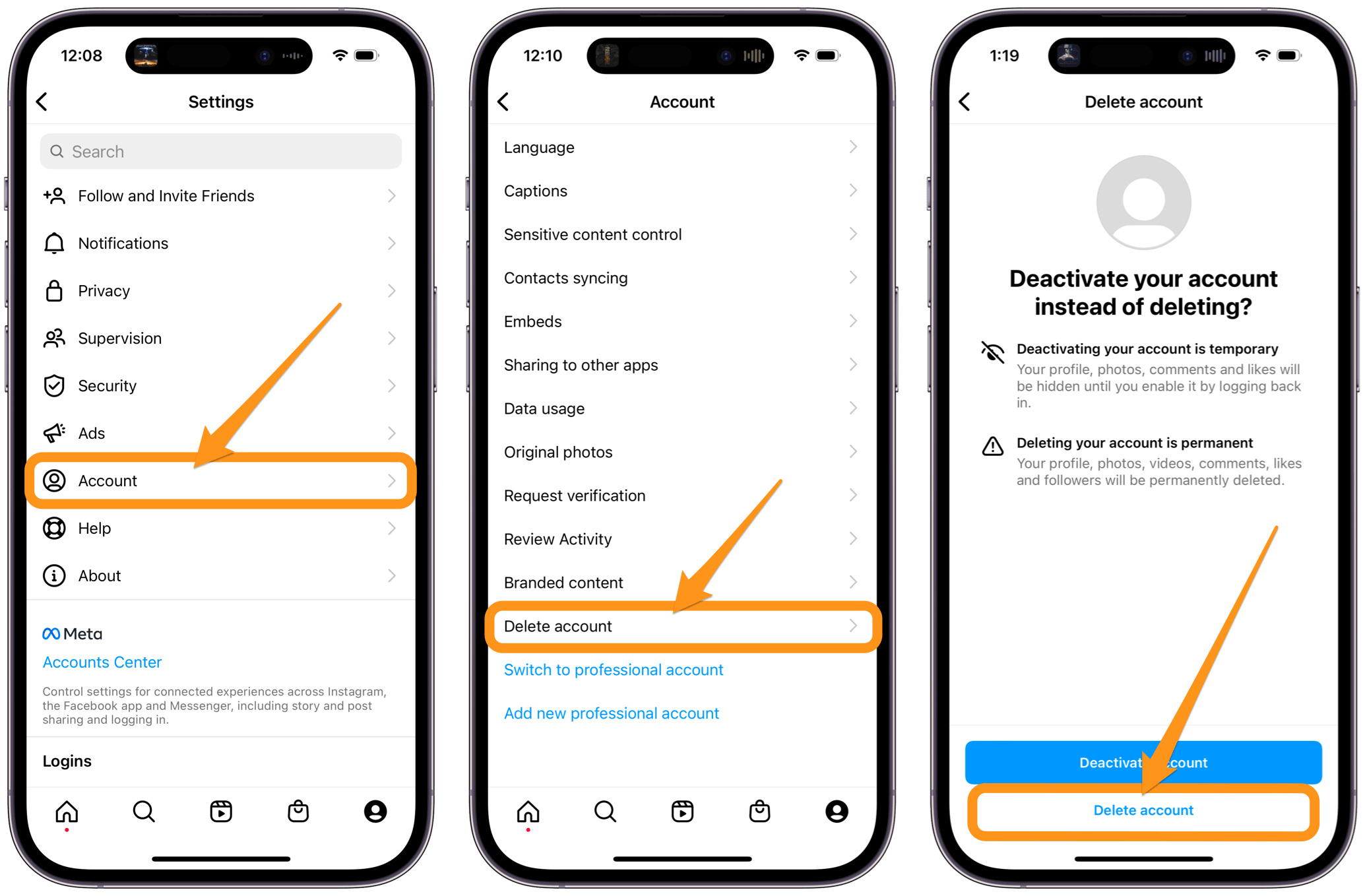
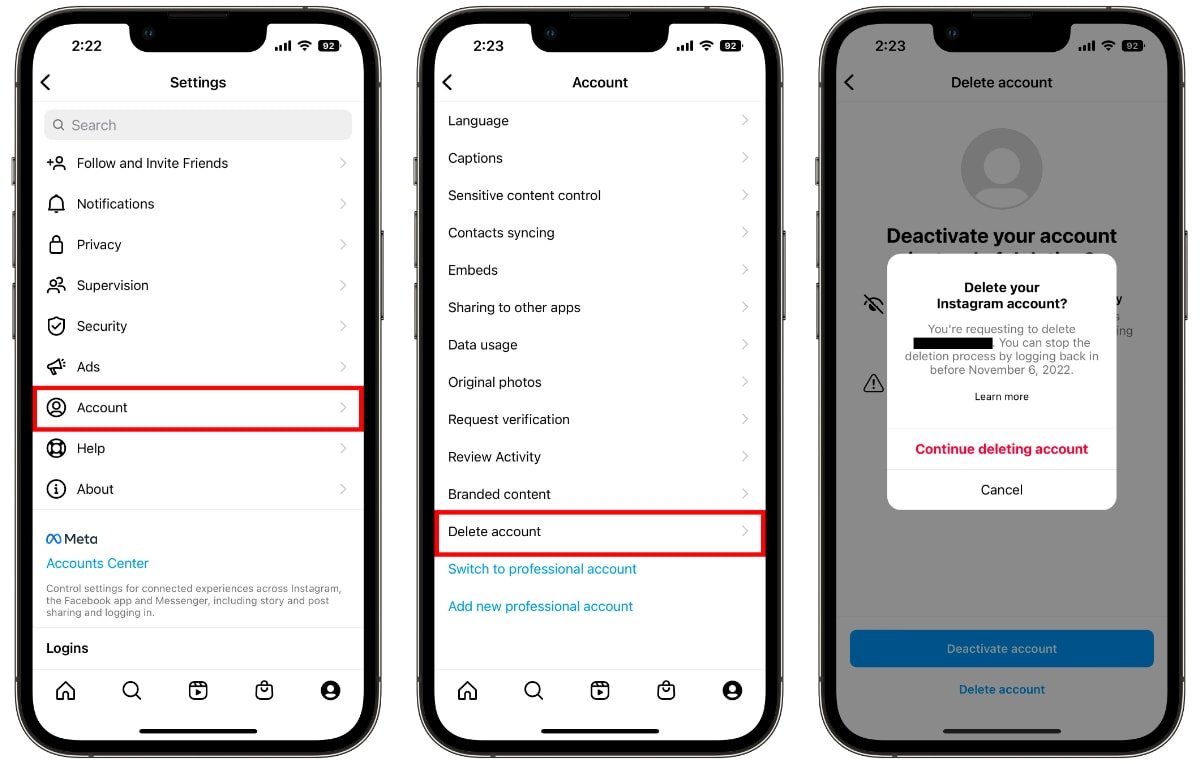
- Tap or click the three horizontal lines in the top right corner of the screen and select "Settings."
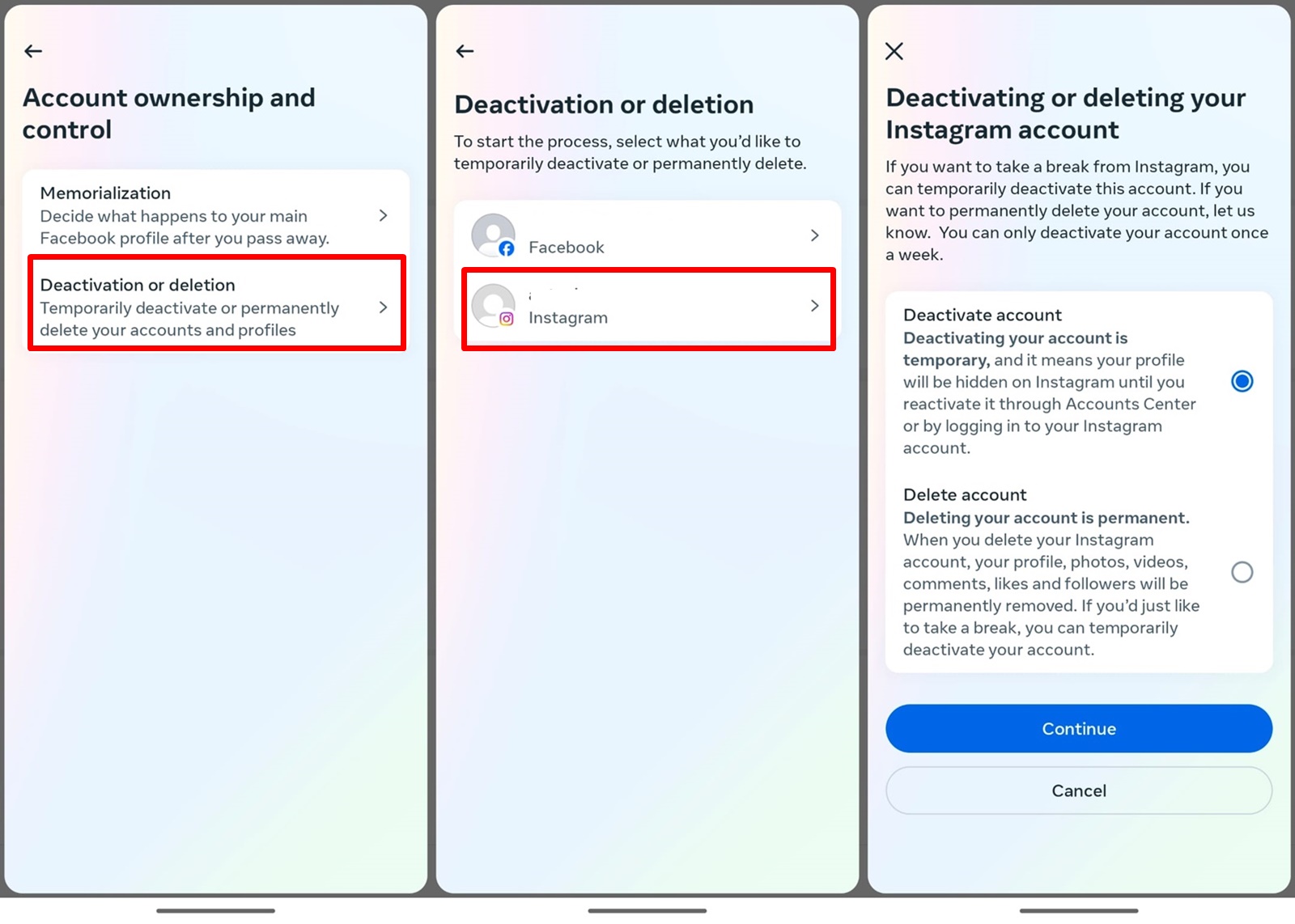
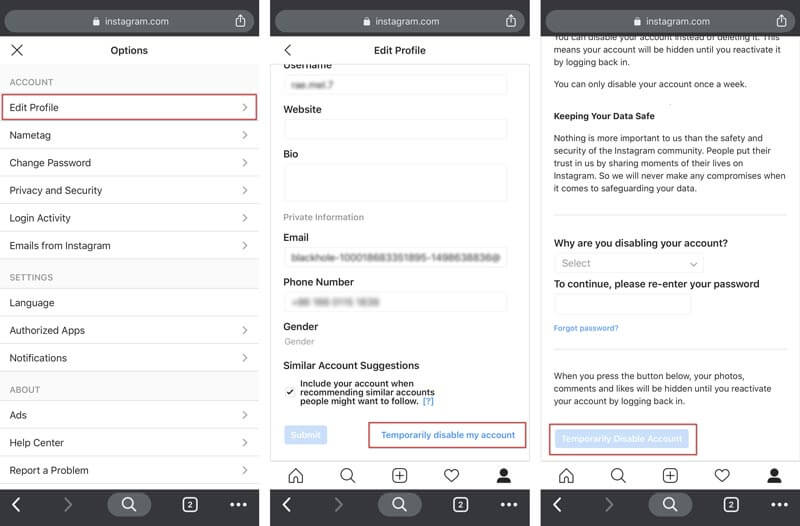
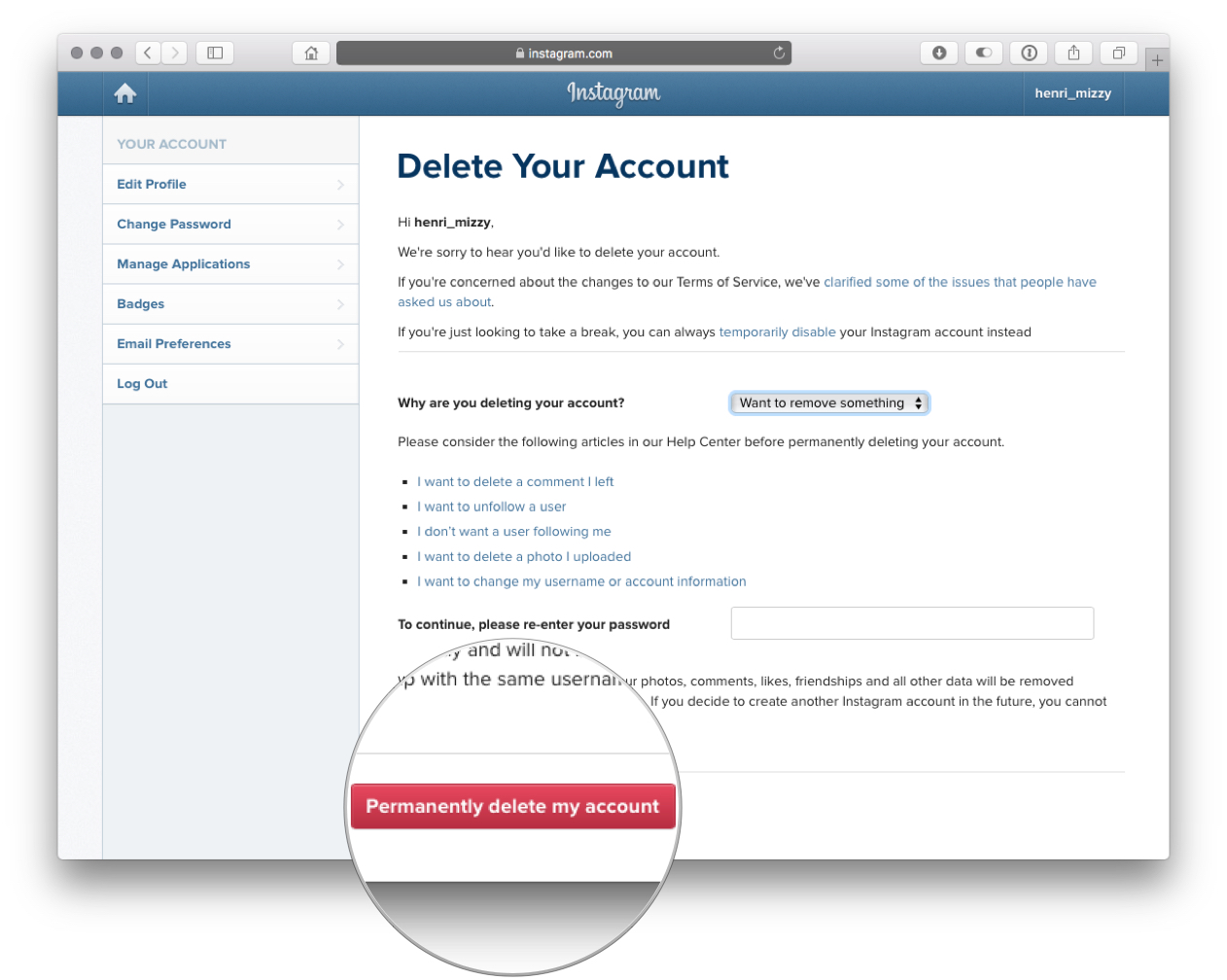
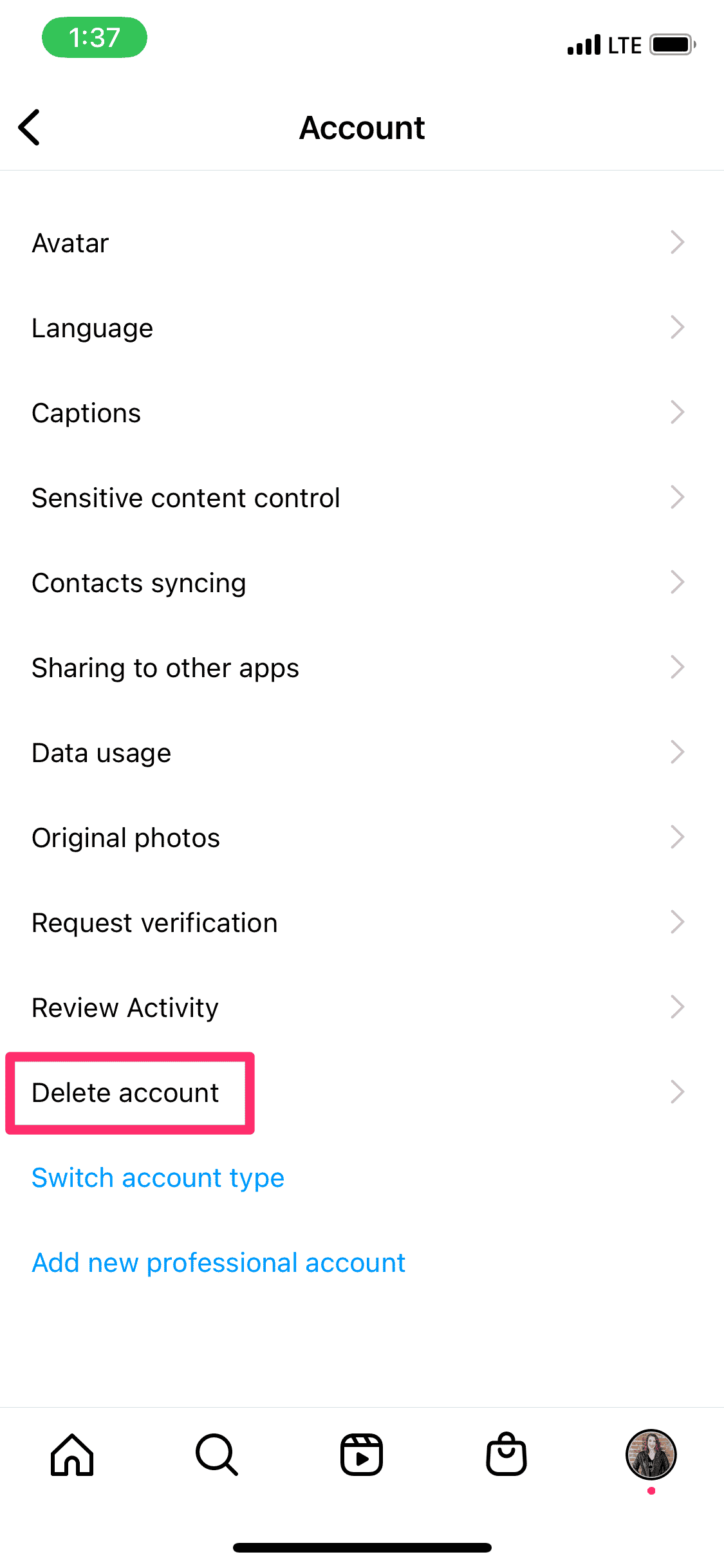
- Scroll down and tap or click "Account" and then select "Delete Account."
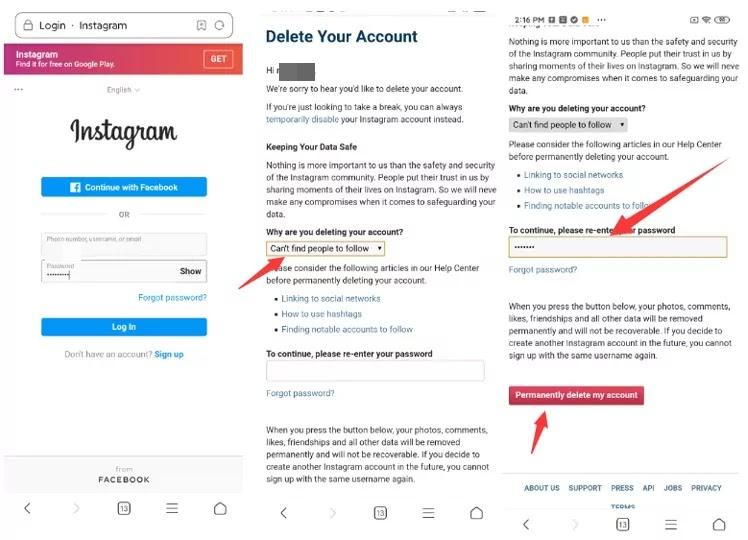
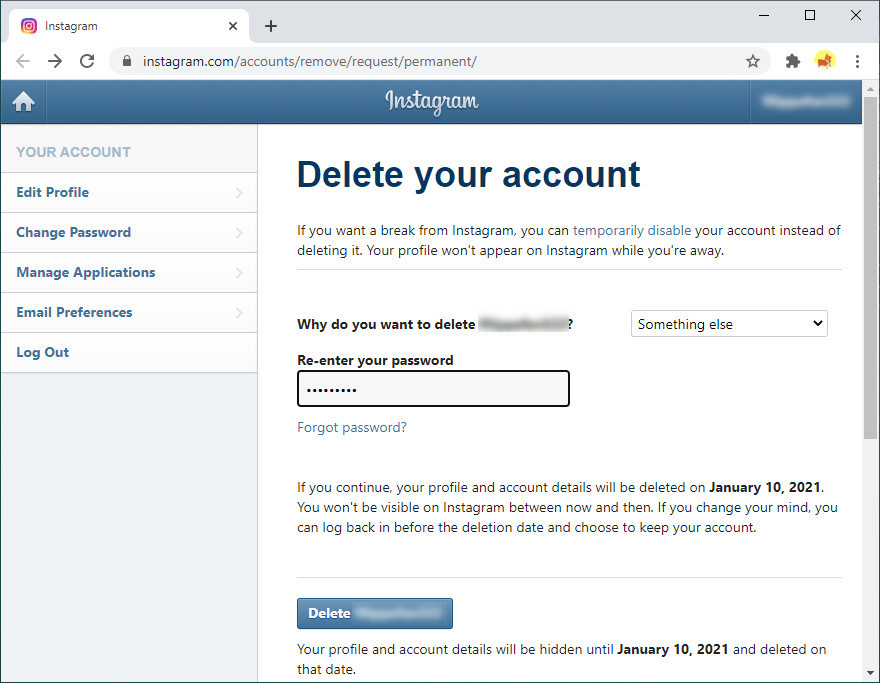
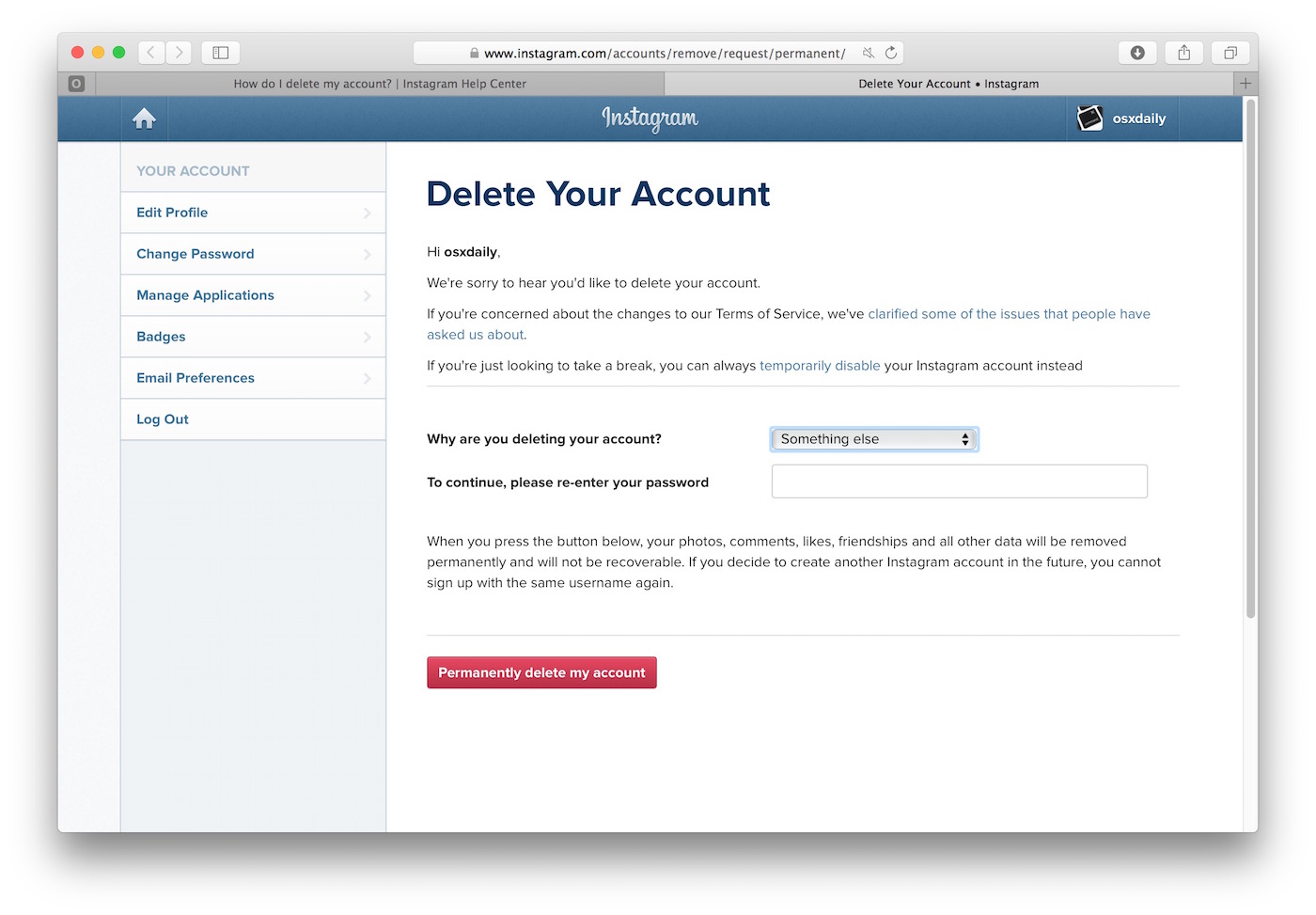
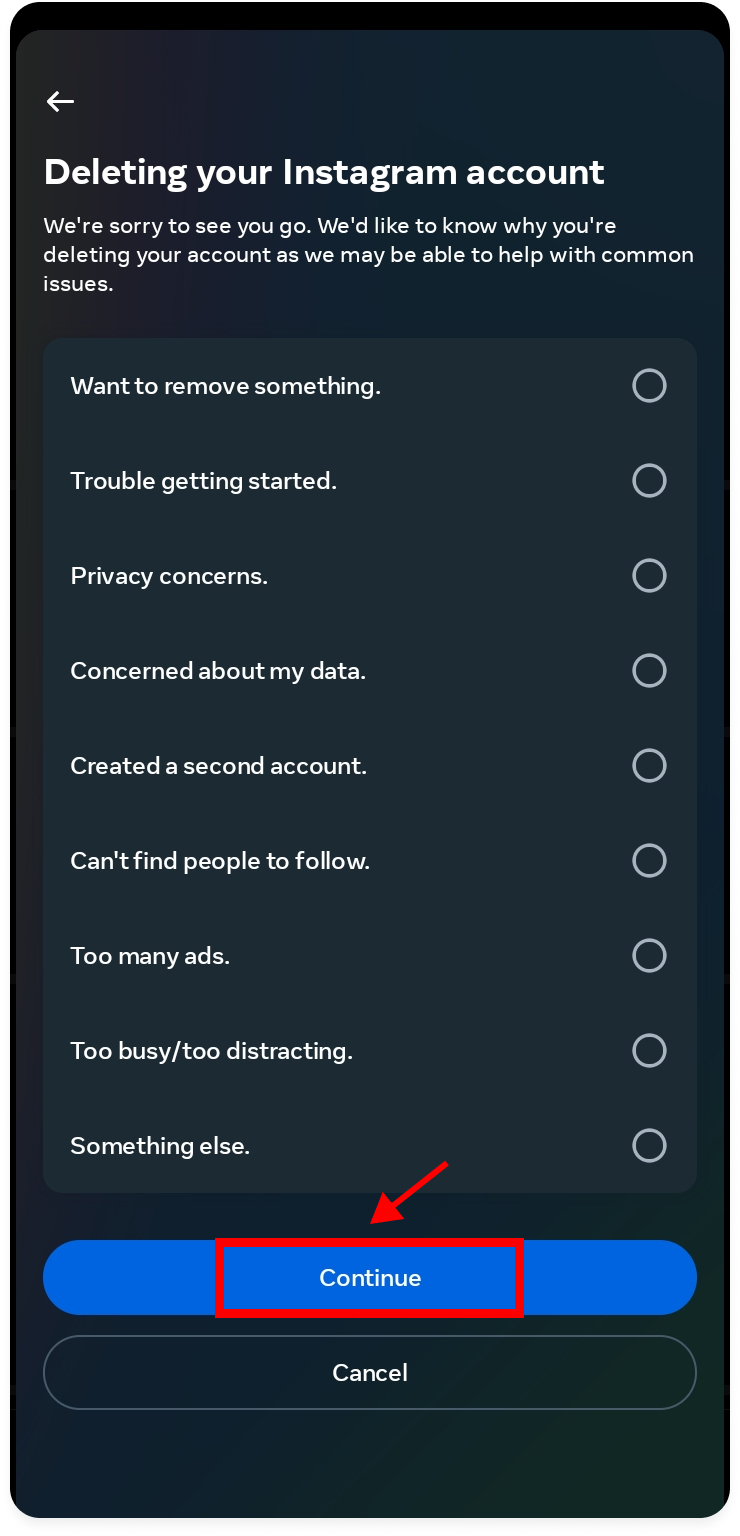
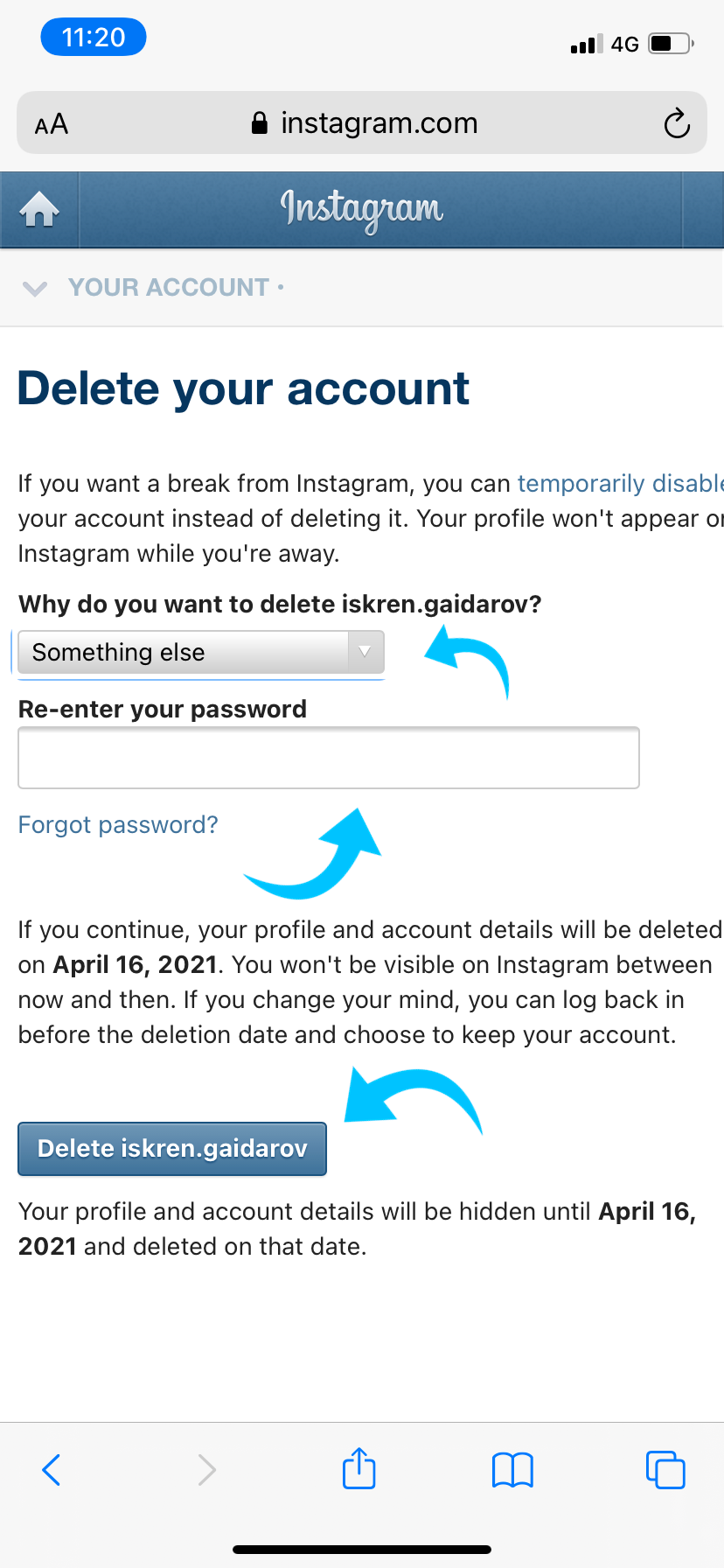
- Select a reason why you want to delete your account from the dropdown menu.
- Enter your password and tap or click "Delete Account."
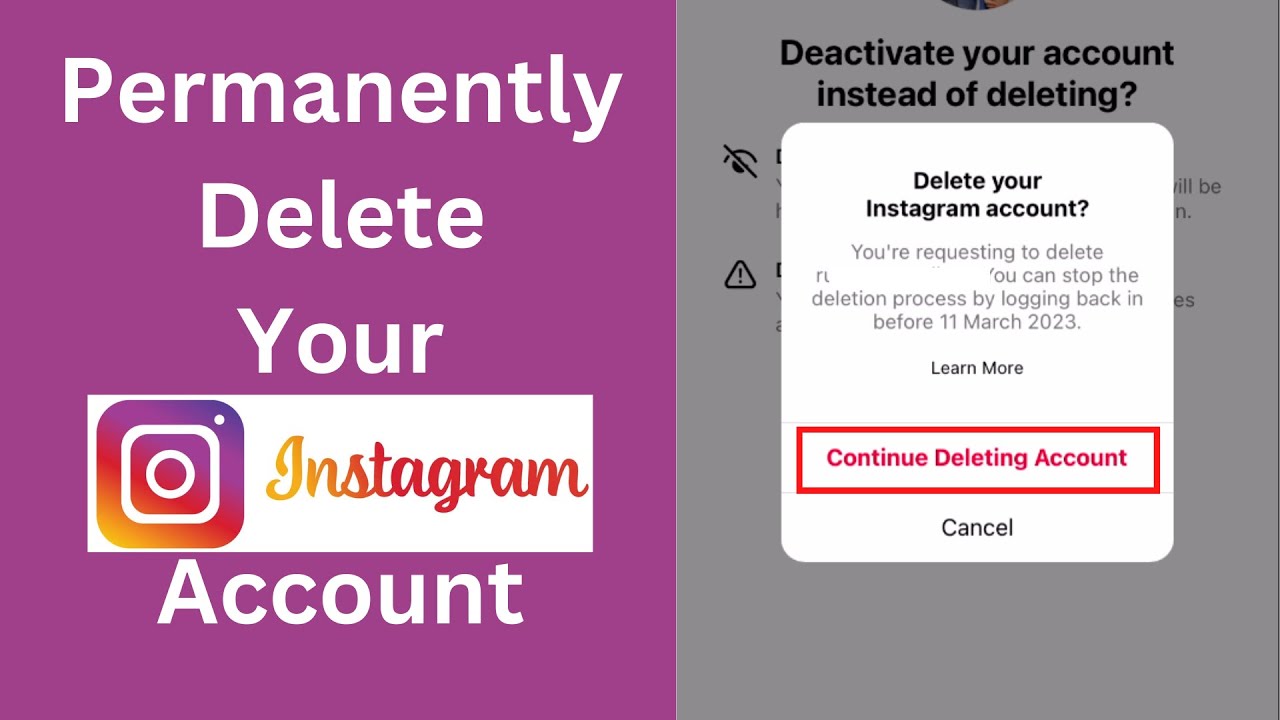
- Instagram will ask you to confirm that you want to delete your account. Tap or click "Delete Account" to confirm.
How to Reactivate Your Deleted Account
If you change your mind and want to reactivate your deleted Instagram account, you can do so within 30 days of deletion. Here's how:
- Visit the Instagram website and log in with the email address and password associated with your deleted account.
- Tap or click "Get Back On Instagram" and follow the prompts to reactivate your account.
How to Download Your Data Before Deleting Your Account
Before you delete your Instagram account, it's a good idea to download your data, including photos and videos. Here's how:
- Visit the Instagram website and log in with the email address and password associated with your account.
- Tap or click "Settings" and select "Account" and then "Download Data."
- Choose a file type to download your data in and select a password to protect the file.
- Tap or click "Download" to download your data.
Conclusion
Deleting your Instagram account is a straightforward process that can be completed in just a few steps. By following the steps outlined in this article, you can delete your Instagram account permanently or temporarily and regain access to your deactivated account within 30 days. Remember to download your data before deleting your account to ensure you have a copy of your photos and videos.
FAQs
Here are some frequently asked questions about deleting your Instagram account:
- How long does it take to delete an Instagram account? It can take up to 30 days for an Instagram account to be permanently deleted.
- Can I reactivate my deleted Instagram account? Yes, you can reactivate your deleted Instagram account within 30 days of deletion.
- How do I download my data before deleting my account? Visit the Instagram website, log in with the email address and password associated with your account, and tap or click "Settings" and then "Account" and "Download Data".