Managing Instagram Account Security: A Comprehensive Guide
As one of the most popular social media platforms, Instagram has become a hub for users to connect with friends, family, and even strangers. However, with the rise of its popularity comes the risk of hacking and account security threats. In this article, we will discuss the importance of managing Instagram account security and provide you with a comprehensive guide on how to do it.
Why is Instagram Account Security Important?
With over a billion active users, Instagram is a treasure trove of sensitive information for hackers. Personal data, passwords, and financial information are just a few of the things that can be compromised if your account is hacked. This can lead to financial loss, identity theft, and even social embarrassment. Therefore, it's essential to manage your Instagram account security to prevent such incidents.
Tools to Bolster Your Account Security
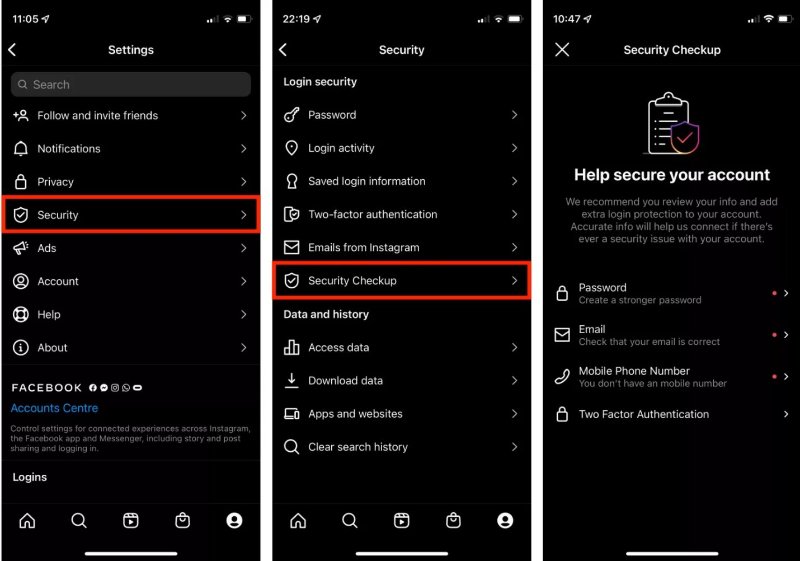
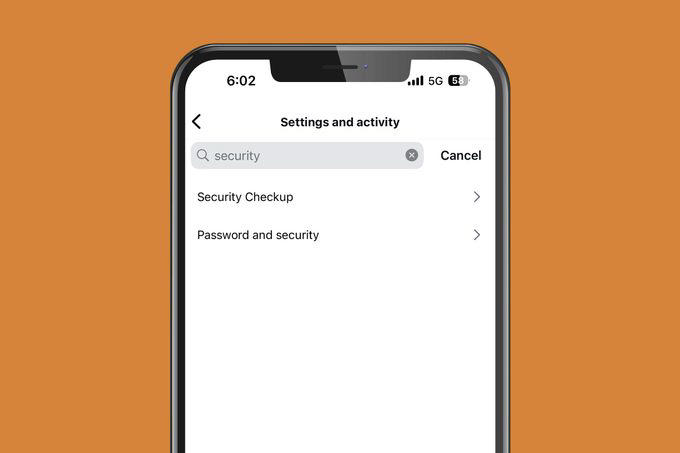
Instagram offers several tools to help you manage your account security. Here are some of the most effective tools you can use:
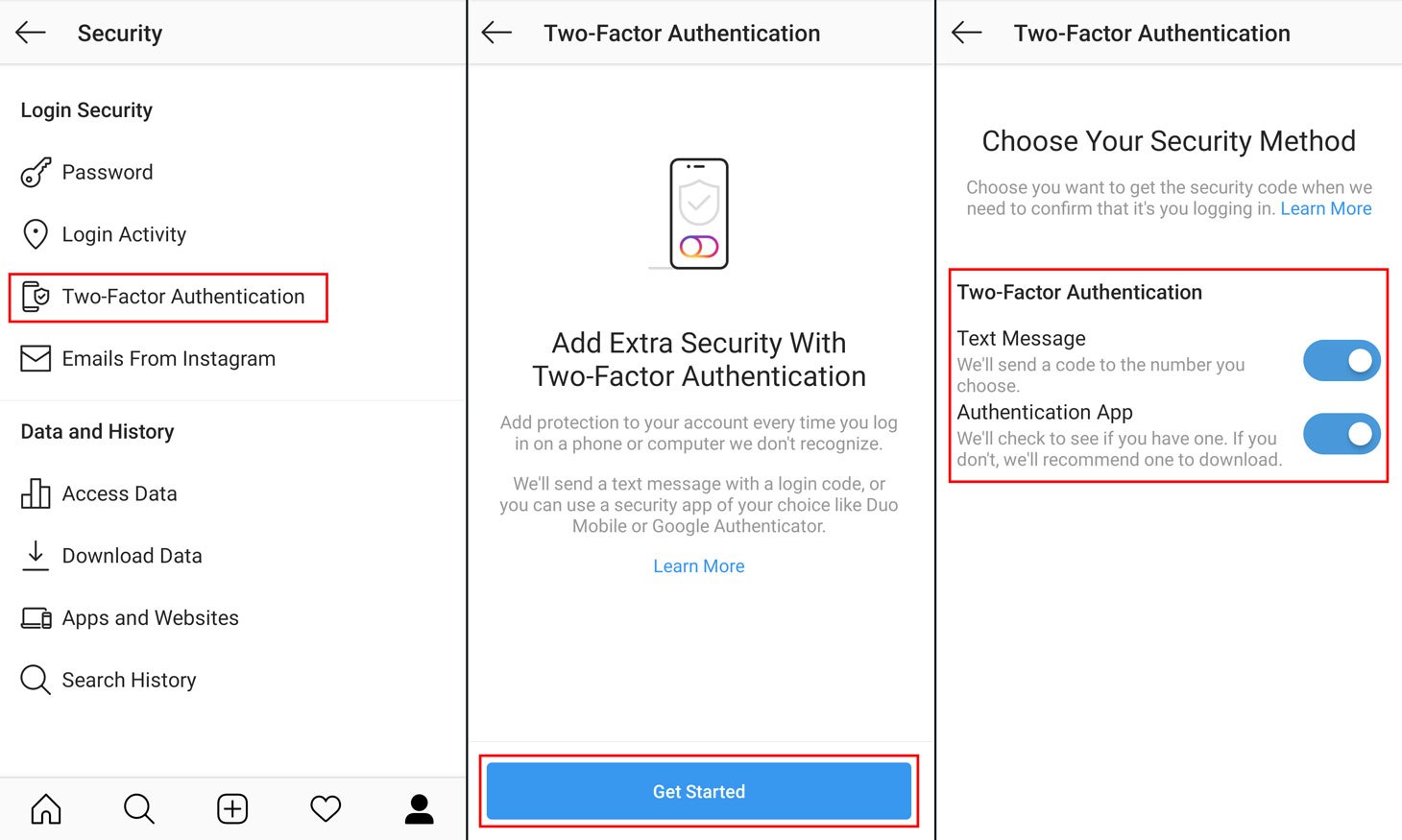
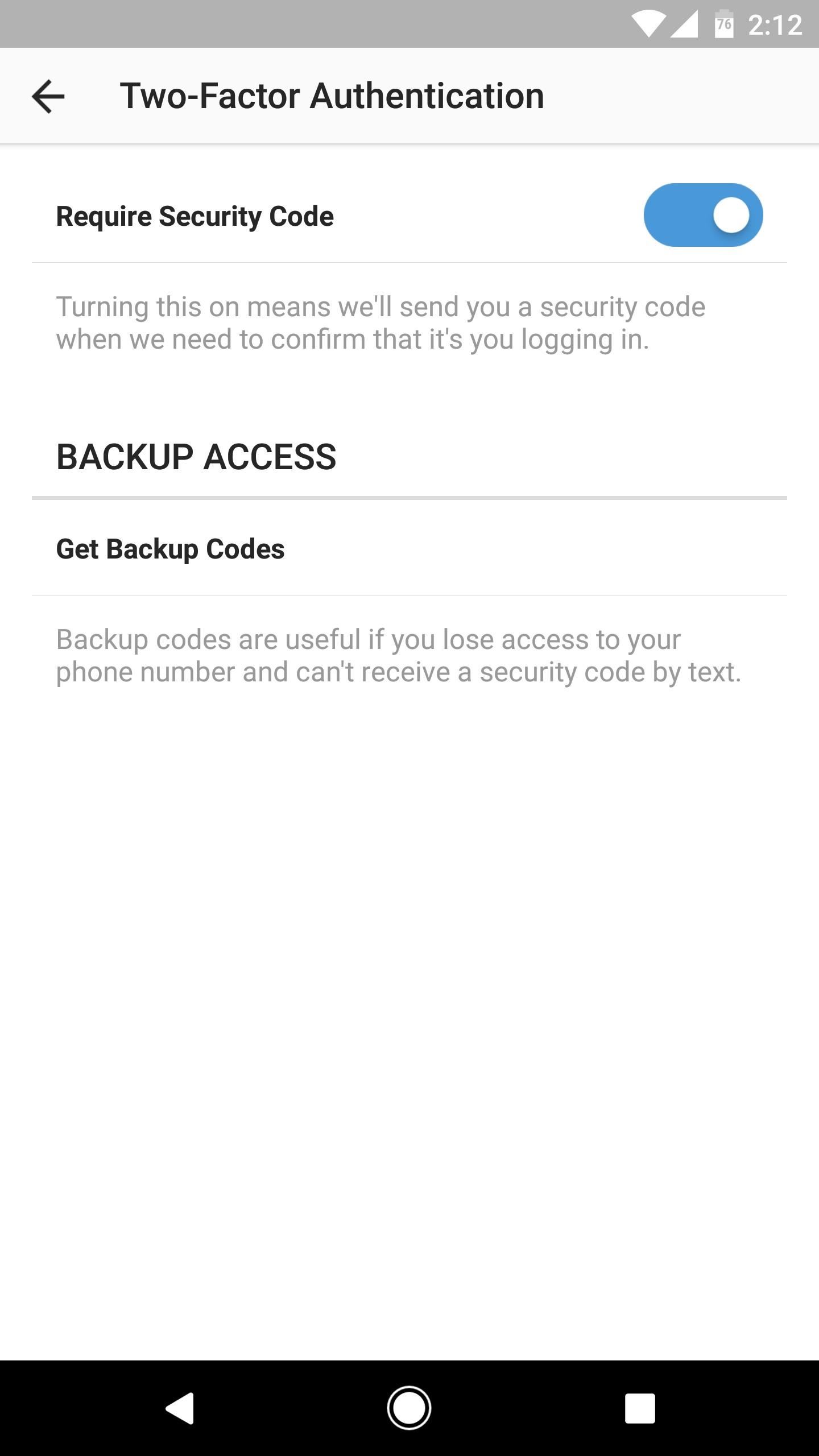
- Two-Factor Authentication (2FA): This feature adds an extra layer of protection to your account by requiring you to enter a verification code sent to your phone or email, in addition to your password.
- app password
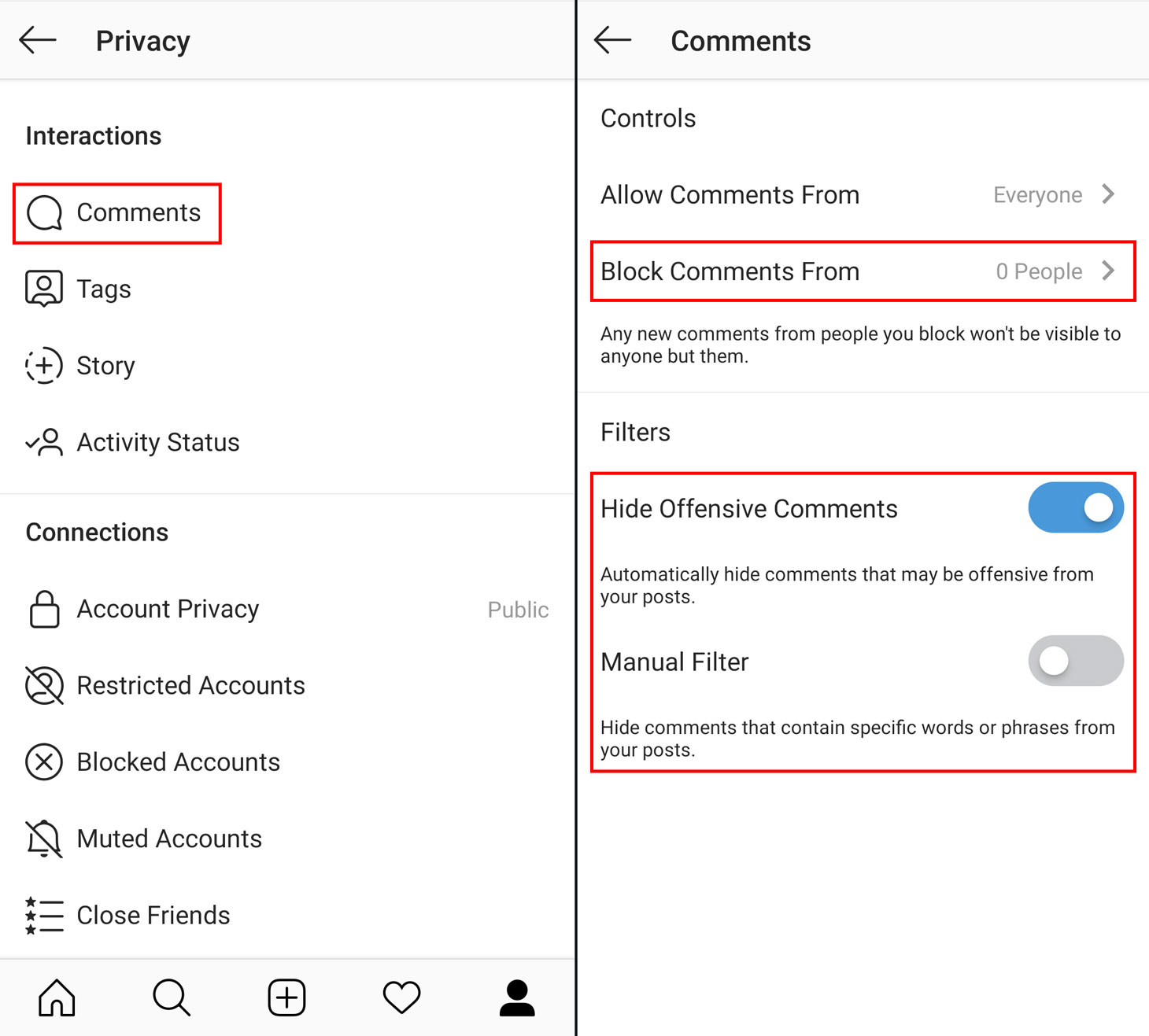
- Privacy settings: You can control who can see your posts, stories, and profile information by adjusting your privacy settings.
- Review login activity: This feature allows you to see who has logged in to your account from different devices and locations.
- Account recovery contact: You can add an email or phone number as an account recovery contact in case you lose access to your account.
Instagram's Security Tips and Tools
Instagram provides several security tips and tools to help you manage your account security. Here are some of the most effective ones:
- Use a strong password: Use a combination of uppercase and lowercase letters, numbers, and special characters to create a strong and unique password.
- Enable 2FA: Turn on 2FA to add an extra layer of protection to your account.
- Keep your account up to date: Regularly update your account information, including your email address, phone number, and password.
- Monitor your account activity: Regularly review your login activity to detect any suspicious activity.

How to Stay Safe Online
Staying safe online is crucial to protect your Instagram account from hacking and other security threats. Here are some tips to help you stay safe:
- Use a strong password: Use a combination of uppercase and lowercase letters, numbers, and special characters to create a strong and unique password.
- Avoid public Wi-Fi: Avoid using public Wi-Fi networks to log in to your Instagram account, as they are often unsecured.
- Keep your devices updated: Regularly update your device's operating system and browser to ensure you have the latest security patches.
- Be cautious of phishing scams: Be wary of emails or messages that ask you to log in to your Instagram account or provide sensitive information.
Adding Extra Protection to Your Account
You can add extra protection to your Instagram account by using the platform's security features. Here are some of the most effective features you can use:
- Login alerts: Instagram will send you a notification when someone tries to log in to your account from a different device or location.
- Account recovery: You can add an email or phone number as an account recovery contact in case you lose access to your account.
- Biometric login: Instagram allows you to log in to your account using biometric data, such as face ID or fingerprint recognition.
Conclusion
Managing Instagram account security is crucial to protect your personal data, password, and financial information from hacking and other security threats. By using the tools and features provided by Instagram, you can add an extra layer of protection to your account and stay safe online. Remember, a strong password, 2FA, and regular account updates are just a few of the things you can do to keep your account secure. Stay safe and enjoy using Instagram!